
Launching your Shopify store is an exciting milestone — but once it’s live, many new merchants notice the same thing: it works, but it looks just like every other beginner store. After spending a few minutes browsing your own site, a common thought starts to creep in: why does my store feel so basic?
If you’ve been searching for how to create Shopify theme, you’ve probably come across guides filled with coding, Liquid, and complex development tools. It can feel overwhelming, especially when your goal is simply to make your store look clean, professional, and trustworthy.
The good news is that you don’t need to build a theme from scratch. For most beginners, creating a Shopify theme is really about customizing your existing one — improving the layout, structure, and overall experience.
In this guide, you’ll learn how to turn a simple template into a polished storefront that feels like a real brand — without writing a single line of code.
1. Why Your Shopify Store Still Looks Basic
If you’re using a free or low-cost theme, your store likely shares the same DNA as thousands of others. Most starter themes are designed to be simple and “safe,” which often means they lack personality.
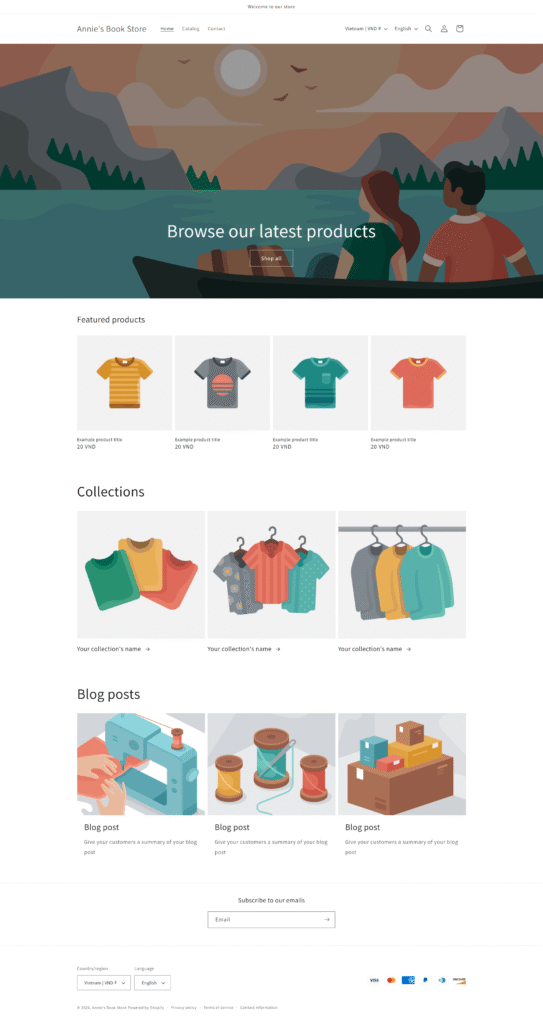
The “Limited Section” Trap
The main reason stores look identical is that free themes come with a very limited number of Sections (the building blocks of your pages). When everyone is using the same three banners and the same basic product grid, it’s hard to stand out.
The App Overload Mistake
Many beginners try to fix a “boring” design by installing multiple apps for pop-ups, countdown timers, or badges. While this might seem like a quick solution, it often has the opposite effect—slowing down your site and making it feel cluttered.
Others focus too much on small visual tweaks without improving the overall layout. The result is usually the same: more effort, but little real impact on how the store looks or feels to visitors.
2. What “Create Shopify Theme” Really Means?
When developers talk about creating a Shopify theme, they usually mean building everything from the ground up. But as a business owner, your definition is different.
Your goal isn’t to write code — it’s to shape how your store looks and how customers experience it. Instead of building the engine, you’re designing the journey. For you, creating a Shopify theme means:
- Guiding how visitors move from your homepage to checkout.
- Using layouts that highlight what makes your product special.
- Ensuring every detail—from colors to fonts—feels consistent with your brand.
3. Start with a Strong Foundation
The easiest way to create Shopify theme as a beginner is to start with a strong foundation rather than building from scratch.
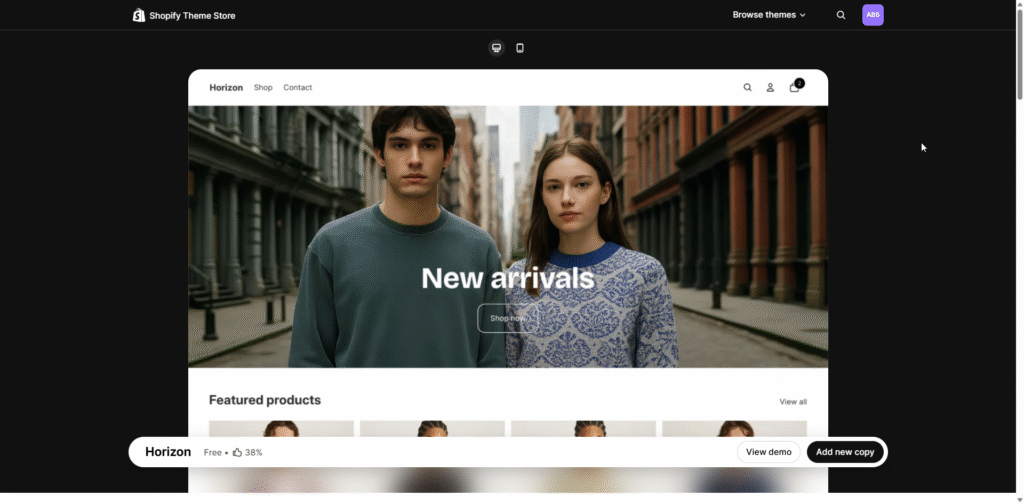
Themes like Dawn and Horizon are excellent choices. Dawn is Shopify’s flagship free theme, known for its speed and minimalist design. Horizon, on the other hand, is ideal if you’re aiming for a clean, modern look with a bit more visual style.
Both are mobile-friendly and optimized for performance, making them reliable starting points. Think of them as a high-quality blank canvas—they give you a solid base so you can focus on shaping your store, not fixing technical issues.
4. The Key to a Professional Store: Sections
What Shopify sections are and how they work
Sections are the building blocks of your Shopify store. They are the individual parts of your page — like banners, product grids, testimonials, or FAQs — that you can arrange to create a full layout.
A professional store isn’t defined by its theme alone, but by how these sections are structured. For example, a strong homepage might guide visitors through a clear flow:
- The Hook: A hero banner that explains exactly what you sell.
- The Proof: A section for best-sellers or “as seen in” logos.
- The Trust: Customer testimonials or a “Why Shop With Us” block.
- The Close: A clear button (Call to Action) that leads to a collection.
This structure is what makes a store feel complete.
Why default themes feel limited
Most free themes only come with a small set of basic sections. That’s why many stores end up looking the same—they are all using the same building blocks. Without additional sections, it becomes difficult to create a layout that feels unique or tailored to your brand.
5. A Smarter Way to Create Shopify Theme
Extend your theme instead of rebuilding it
Instead of trying to redesign everything from scratch, a better approach is to expand what your theme can do. By adding more sections, you gain the flexibility to create new layouts, improve storytelling, and build a more engaging shopping experience. This is much faster, easier, and more practical for beginners.
How OT: Theme Sections helps you customize faster
This is where OT: Theme Sections comes in. Rather than replacing your theme, it enhances it by giving you access to a wide range of ready-made sections that you can plug directly into your store.
You can add elements like Modern hero banners, Product showcases, Testimonial sliders, FAQ sections, Promotional blocks.
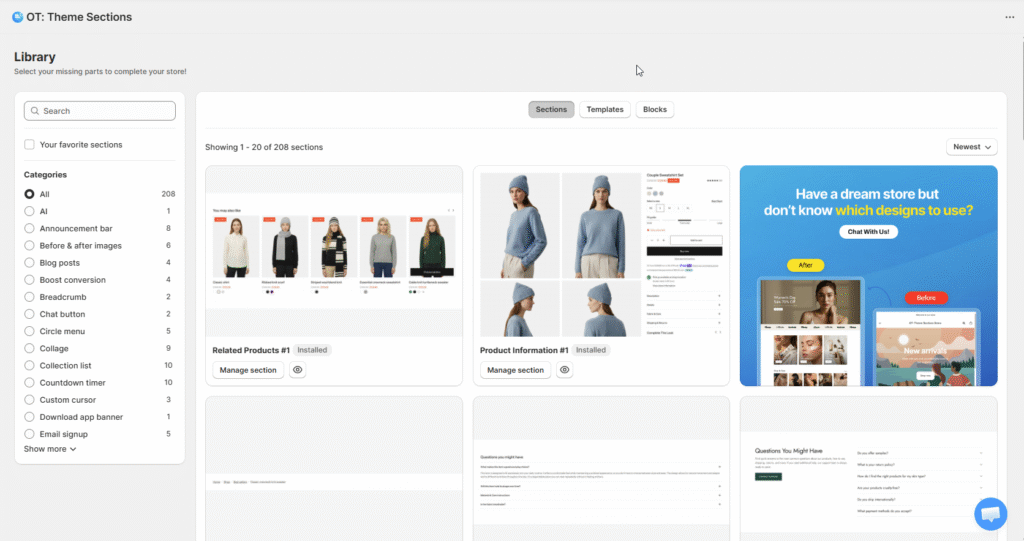
Everything is designed to work seamlessly with your existing theme, so you don’t have to worry about compatibility or technical setup. More importantly, it keeps your store fast. Unlike heavy page builders that can slow down performance, section-based customization allows you to improve design without sacrificing speed.
6. From Basic Store to Professional Brand
A simple homepage structure you can follow
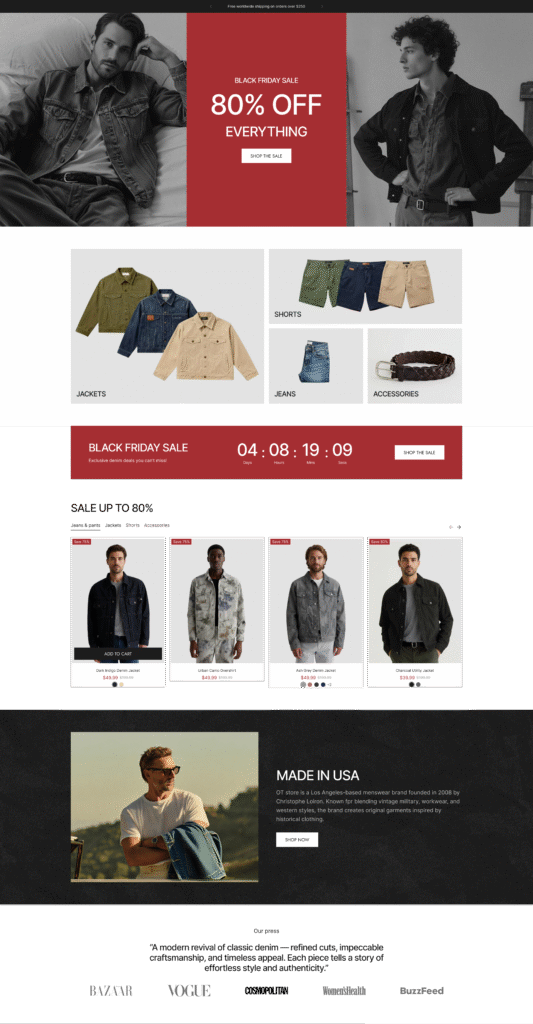
If you’re not sure where to start, focus on improving your homepage first. A clean, effective layout might look like this:
You begin with a strong hero section that clearly communicates your main product or offer. This is your first impression, so it should be simple and direct.
Next, you highlight your best-selling products to immediately show value. After that, you introduce a short section explaining what makes your brand different—this helps build trust.
Finally, you reinforce credibility with customer reviews or testimonials, followed by a clear call-to-action that encourages visitors to explore or buy.
This kind of structure is simple, but it works.
What actually makes a store look trustworthy
A professional store isn’t about flashy design — it’s about clarity and consistency.
When your layout flows naturally, your visuals are consistent, and your message is easy to understand, your store instantly feels more credible.
Speed also plays a big role. A fast-loading store creates a smoother experience, which directly impacts how customers perceive your brand.
7. Conclusion: Create Shopify Theme That Grows with You
You don’t need advanced skills or a large budget to create Shopify theme that looks professional. What matters most is how clearly your store communicates and how smoothly customers can navigate it.
Start with a simple foundation like Dawn or Horizon. Define your visual style. Then improve your layout by adding better sections and refining your structure over time.
Tools like OT: Theme Sections make this process much easier by giving you the flexibility to design your store without technical barriers.
In the end, creating a Shopify theme isn’t about building everything from scratch — it’s about shaping an experience that feels complete, trustworthy, and ready to grow with your business.