Just a month after the first release, Maximize Theme version 1.1.0 officially dropped on December 8, 2025. While a “massive release” sounds exciting, we know it can also feel a bit like getting a new smartphone – lots of cool buttons, but where do you start?
Don’t worry. We’ve broken down the heavy technical notes into bite-sized pieces so you can spend less time scratching your head and more time making sales.
1. Introducing the ‘Vast’ Preset: A New Look for Home & Decor
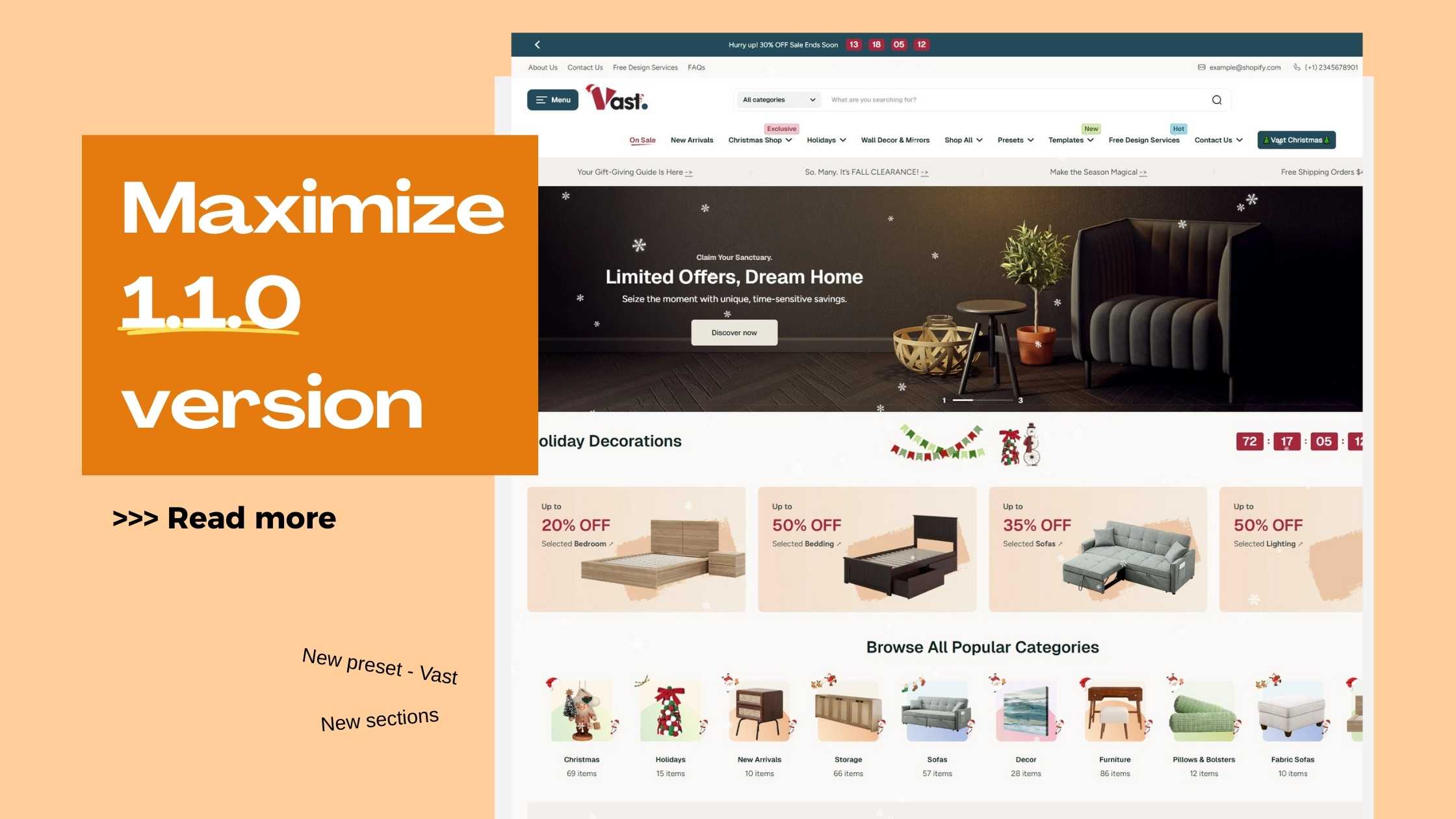
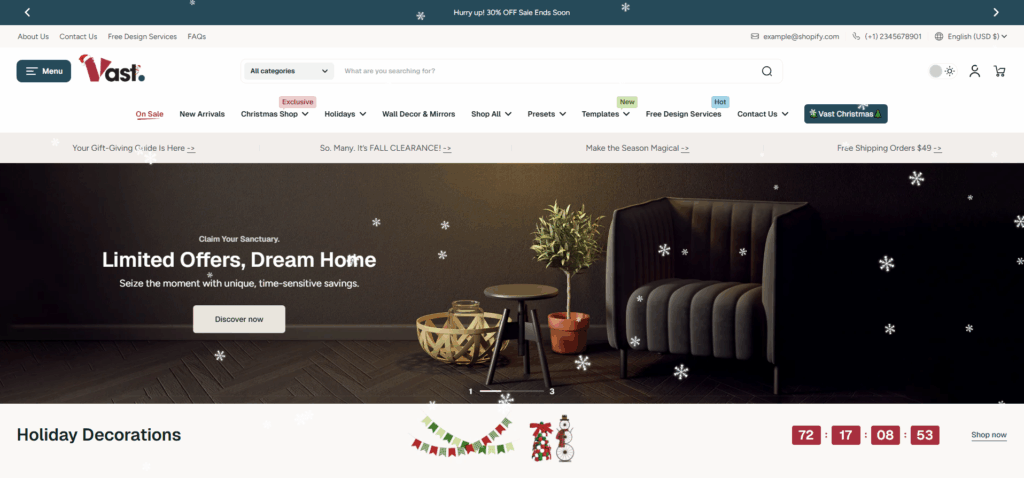
Alongside all these great features, Maximize 1.1.0 also brings you a stunning new preset: Vigor. Designed specifically for home and decor stores, as seen in the image above, Vigor offers a sophisticated, dark aesthetic that screams luxury and comfort.
- Quick Start: For new users, Vast provides a beautifully laid-out starting point, complete with a clear navigation structure, a prominent hero banner for your promotions, and organized sections for your product categories. It’s a professional storefront right out of the box.
- Elegant Design: Vast uses a deep color palette with pops of red and white, perfect for creating a premium feel for your furniture, lighting, or holiday decorations.
- Holiday Ready: The preset comes pre-configured with festive touches like falling snow and a countdown timer, making it effortless to set up for the busy holiday season.

2. Two shiny new sections added in Maximize theme 1.1.0!
This is the “main event” of version 1.1.0. These two features are designed to boost your sales and keep your site looking fresh.
2.1 Product bundle: Upsale smarter, no app needed
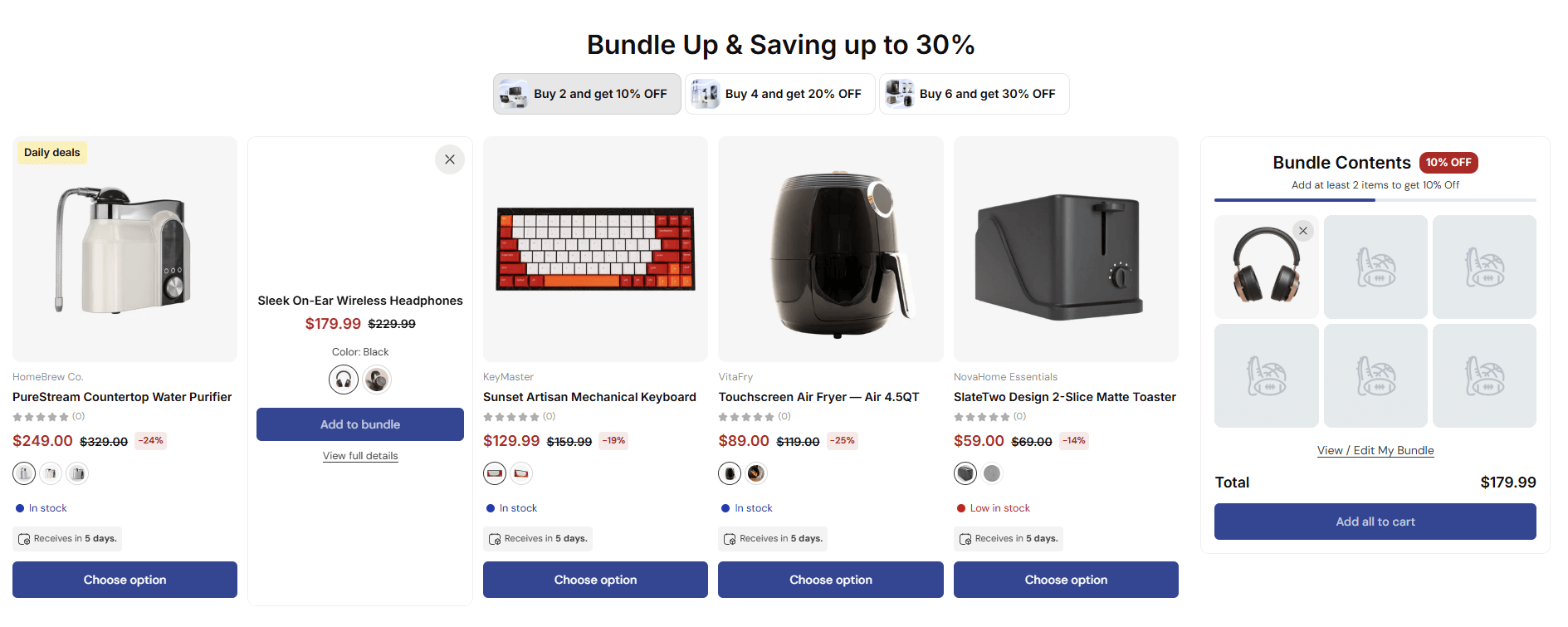
The new Product Bundle section allows customers to buy multiple products together at a discounted price. As Maximize is built for large catalog online stores, the Product bundle section is designed to ensure the experience of buying more and more has no friction!
Why this matters:
- Encourages higher average order value
- Makes upselling feel natural, not pushy
- Reduces the need for third-party bundle apps
You can now group complementary products and present them as a single, compelling offer – perfect for electronics, accessories, or seasonal sets.
2.2. Overlay Animations: No more boring site
Want to add a little “wow” factor? You can now add animations (like falling snow for the holidays) to your pages. It’s an easy way to make your store feel alive and festive.
The Overlay Animation section works on both Overlay Templates and Page Templates.
Why this matters:
Think of it as a lightweight visual effect layer:
- Adds motion without slowing down your site
- Improves engagement and emotional impact
- Ideal for campaigns, holidays, or launches
Yes, you can even add subtle snowfall for Christmas. Tasteful animation wins attention without overwhelming shoppers.
3. New design tweaks for products & navigation!
3.1. Better Ways to Show off your products
Your product photos are your best salespeople. Maximize theme 1.1.0 version makes them look even better:
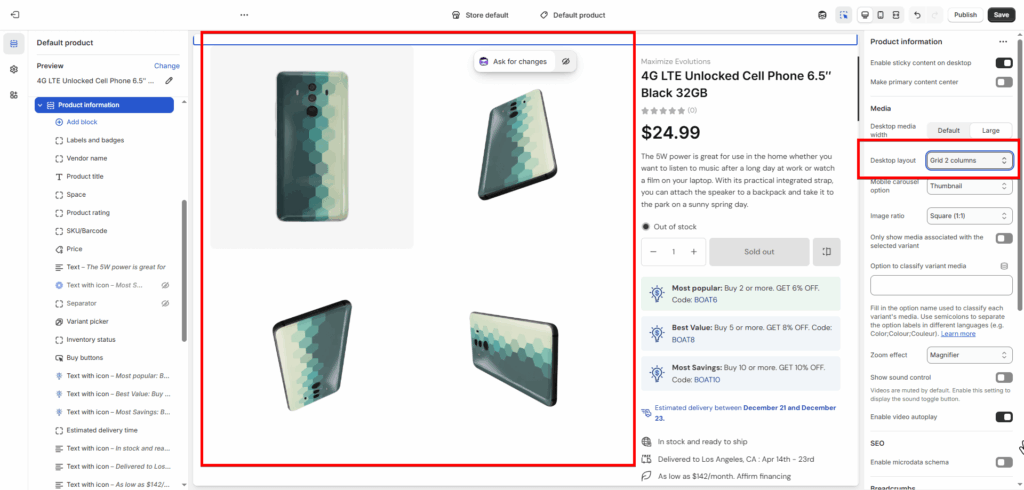
Grid 2 Columns: A new layout for your product media is now available in the Product information section. It’s clean, organized, and perfect for highlighting high-quality images.
Color Swatch Upgrades: Swatches are now more flexible. You can adjust their size and even use images instead of just flat colors.

3.2. Navigation and Design Tweaks
Small changes make a big difference in how customers use your site.
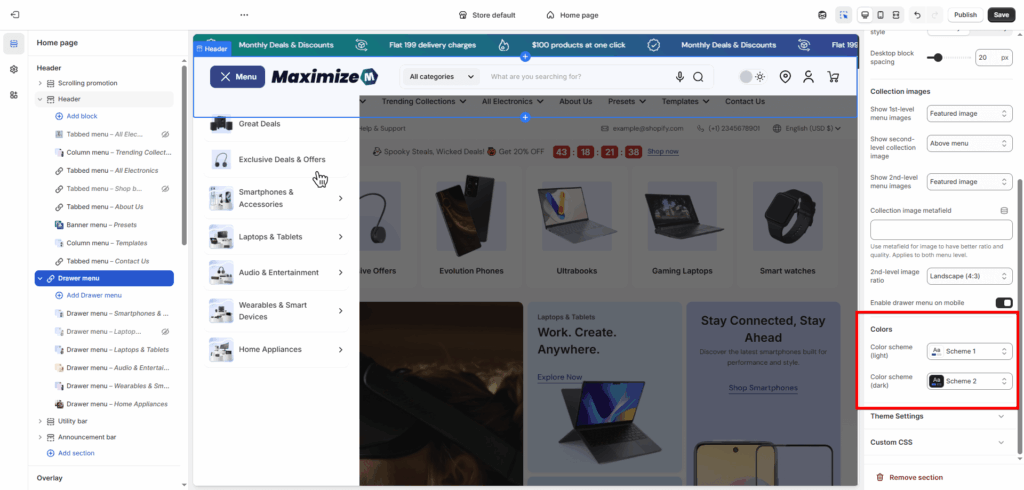
- Better Menus: Inside the Header section, the horizontal menu list is now fully expanded. The Drawer Menu section now has separate color settings to make the text pop and make the users focus more on the menu contents.
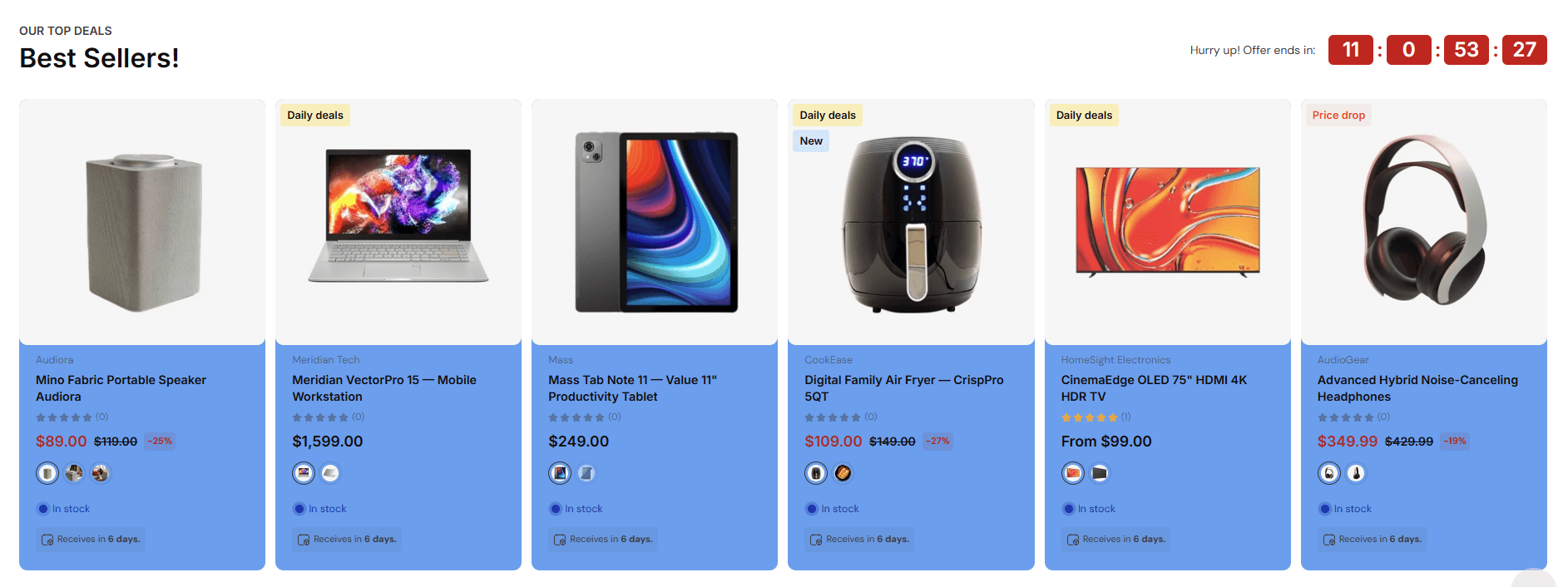
- Section Separation: In the “Featured Collection” section and “Promotional Collection” section, you can now give product cards their own background color. This keeps them from “blending in” with the page background.
4. Going Global? We Speak Your Language
This update is a massive win for international sellers. The theme now supports a long list of new languages in both the store and the admin editor.
Now supported on both storefront and admin editor:
- Hindi, Brazilian Portuguese, Indonesian
- Traditional Chinese, Korean, Turkish, Polish
- Thai, Danish, Czech, Romanian
- Hungarian, Finnish, Swedish
Now supported on the storefront:
- Arabic, Norwegian, Hebrew
- Ukrainian, Greek, Serbian
- Slovak, Latvian
For international brands, this update removes friction for both merchants and customers. Your store can now look and feel “local” to customers all over the world.
5. Squashing the Bugs
Nobody likes a glitchy site. We’ve polished the gears and fixed the following:
- Video Fix: No more “double play” buttons appearing on videos.
- Mobile Visibility: The “View All” button won’t pull a disappearing act on mobile anymore.
- Clean Descriptions: Bullet points in your descriptions will no longer break your text layout.
- Gravity Check: The currency selector now opens downward (like it should) instead of upward.
The Bottom Line
The Maximize Theme 1.1.0 version is all about performance and personality. Whether you want to bundle your best-sellers or just make your mobile menu easier to read, this update has you covered.
This update makes Maximize more powerful, flexible, and user-friendly. For new users: These features simplify selling without overwhelming you. For experienced folks, the refinements will make your workflow sharper.
If anything feels confusing, experiment in a duplicate theme first. Maximize is built to convert, and 1.1.0 just turned up the dial.
Ready to upgrade? Head to your Shopify theme library. Your store (and customers) will love the glow-up.
Ready to see these features in action?
Update your theme to version 1.1.0 today and start building a better shopping experience.