If you are a wholesaler, manufacturer, distributor, or B2B brand moving your operations onto Shopify, you have probably already realized one thing: most Shopify themes are built for DTC first. They focus on storytelling, lifestyle imagery, and emotional hooks. Beautiful, sure. But often frustrating for B2B buyers.
This is where the Maximize Shopify Theme stands out as one of the best Shopify Theme for B2B!
Maximize is not trying to turn your B2B store into a fashion lookbook. Instead, it focuses on what actually matters to business buyers: efficient navigation, clear product data, fast purchasing, and scalability. In this article, we will walk through why Maximize works so well for B2B stores, using real B2B needs, not marketing buzzwords, as the benchmark.
What B2B Buyers really expect from your online store?
Before talking about features, let’s align on reality.
B2B buyers are not browsing for inspiration. They come to your store because:
- They already know what they want
- They value speed more than visuals
- They need to buy in quantity
- They must compare specifications, SKUs, or compliance details
- They want to reorder quickly
A good B2B Shopify theme should get out of the way and let buyers complete their tasks efficiently. Maximize is designed with exactly this mindset.
How can Maximize Theme meet all the B2B needs?
Let’s jump straight into each B2B expectation and see how you can meet them all with the Maximize Theme:
1. “Bring me what I want, don’t beat around the bush!”
As mentioned above, your B2B buyers already know what they want. Now relax, sit down, and think about how your best B2B customers behave. Or put yourself in their position and ask: “Will I be impressed by the animations on my store?” Not sure. Animations are great. But your B2B customers need something else, more “reality”:
- Products are easy to find
- Information is clear & trustworthy.
Simple but powerful. Because your store should be a Tool, not a Showroom!
💡 How does the Maximize theme solve this?
With a single focus: Handling Large, Messy Catalogs (Without the Mess).
Most B2B stores don’t sell 20 SKUs. They sell hundreds – sometimes thousands. Maximize is structured to handle large inventories and complex product catalogs without overwhelming the buyer. Let’s go through some notable features of Maximize that can help you sell better B2B by:
✨ Finding products easier with Navigation Built for 500+ SKUs
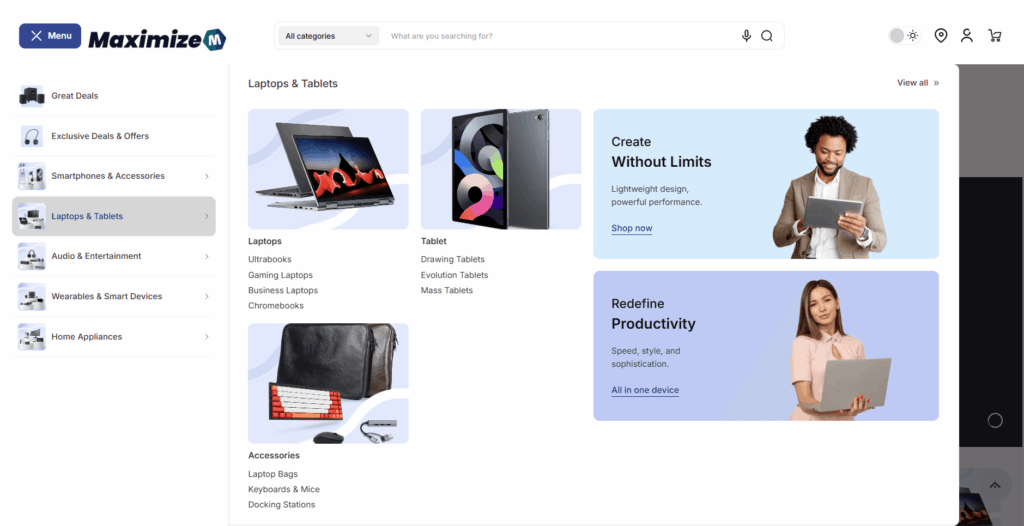
Mega menu
Maximize was built with a “navigation-first” philosophy. It features 7 types of 4-level Mega Menu that stays “sticky” at the top of the page. This means that even if a buyer is scrolling through a long list of specifications, they can jump to a different category in a single click.
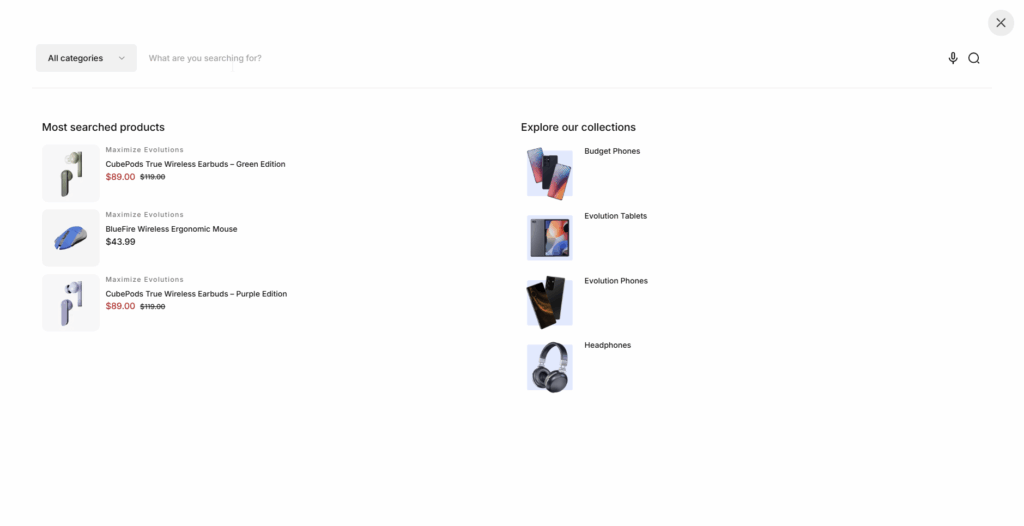
Search
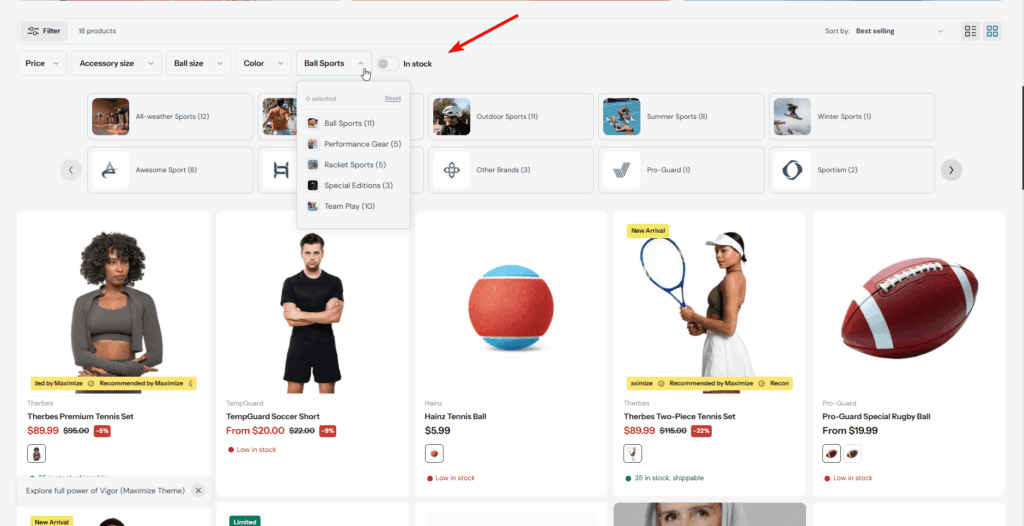
Maximize incorporates Faceted Search and smart Search Suggestions. As your customer types, the theme suggests relevant products and collections instantly.
Visible Filters
The theme also included Filters, allowing you to set up advanced filters (like technical attributes, size, or material) on collection pages so buyers can narrow down thousands of options into the exact five they need in seconds.
✨ Scanning information quickly:
Massive Product Presentation:
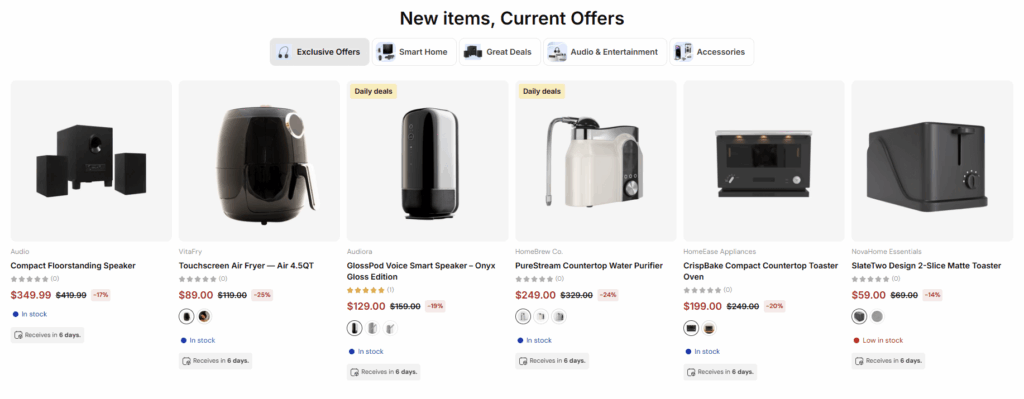
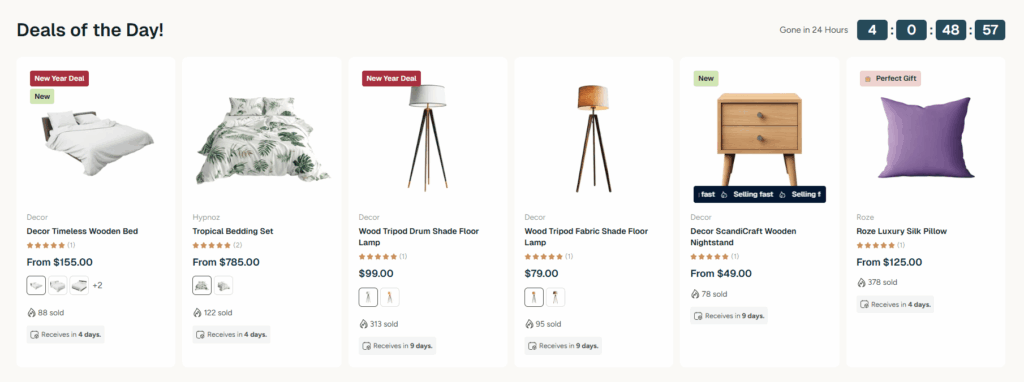
Need to show a variety of options at once? The theme’s promotional grids can display up to 20 products and 5 collections simultaneously, allowing a buyer to see your entire range of solutions in one view.
High-Detail Product Cards:
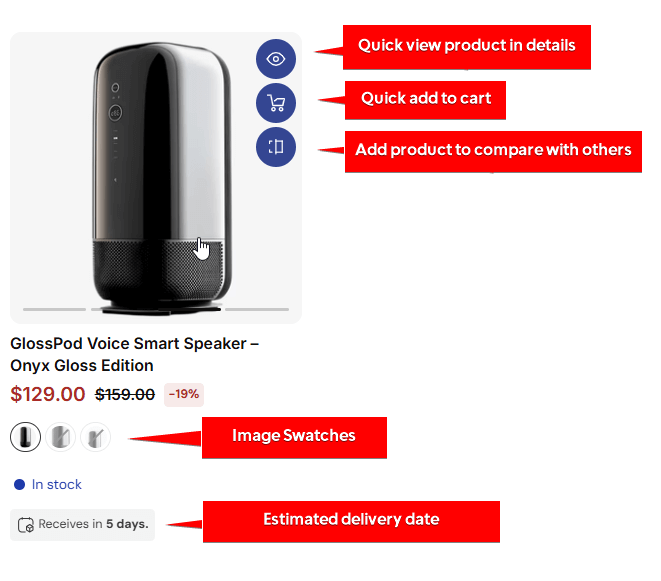
With Maximize, you can display SKUs, certificates, and highlight attributes directly on the product cards. You don’t need the buyer to click into every individual product page to find the technical details they need. Custom labels can be used to show “Estimated Shipping” times or “Minimum Order Quantities” (MOQ), providing the buyer with all the necessary information to make an immediate decision.
Navigation is clean, collections are easy to scan, and layouts stay readable even when your catalog grows.
This matters more than it sounds. Every extra click or scroll adds friction – and friction costs repeat orders. So, let’s move on to the next part, where we discuss how Maximize accelerates your B2B customers’ buying journey.
2. “I don’t have time, make things fast!”
Speed is one of the most underestimated drivers of conversion in B2B ecommerce. Time is gold. Trust is priceless. Especially as a B2B store owner, there is so much more in their hands to handle (You understand this well!). You worked hard to gain customers’ credibility. Now, it’s your website’s turn to make everything convenient and quick.
💡 How does the Maximize theme solve this?
Here are several ways the Maximize Theme speeds up the buying process:
Quick buy buttons
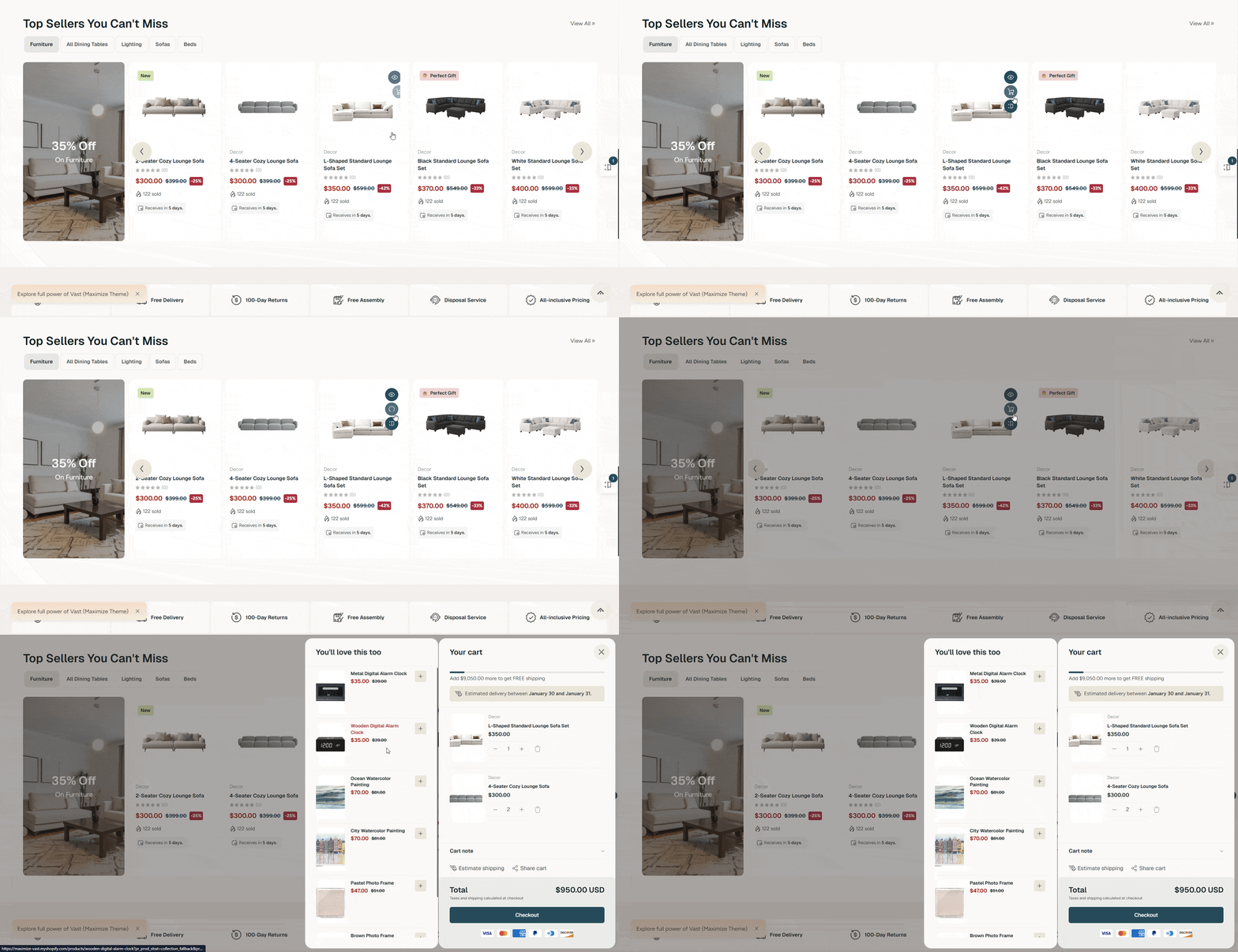
Skip the hesitation, because merchants can display Add to cart or Buy now buttons directly on product cards. This is a small detail with a big impact.
Sticky cart
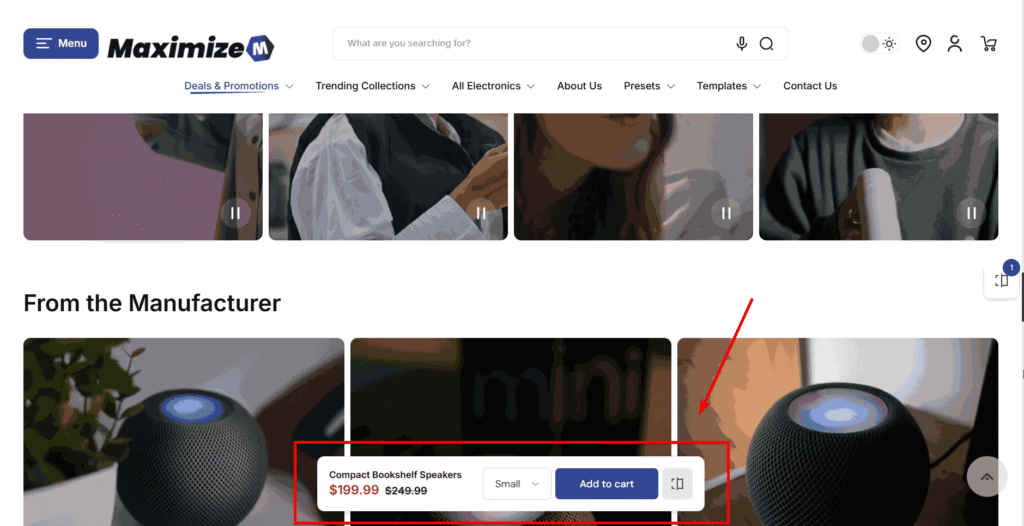
= no lost momentum
In B2B, buyers rarely purchase just one item. Maximize supports a persistent cart experience, meaning buyers always know where their order stands without having to navigate away or search for the cart icon. This keeps momentum going while they continue adding products.
Checkout flow that doesn’t fight the buyer
A slow or complicated checkout is where many B2B orders stall. Maximize is optimized to work smoothly with Shopify’s checkout experience, keeping the transition from cart to checkout simple and predictable. There are no unnecessary steps added by the theme, no visual clutter, and no forced distractions.
For B2B buyers, this means:
– Less chance of abandoning the order
– Fewer interruptions
– Faster confirmation
3. “I need to buy in bulk. Don’t make this harder than it already is.”
Buying in quantity is not a special case in B2B.
It’s the default.
Your customers are not ordering one item to “try it out.” They are ordering for warehouses, for multiple locations, for resale, and for production planning.
And when buying in volume, confidence and clarity matter more than persuasion.
💡 How does the Maximize theme solve this?
By treating bulk purchasing as a first-class behavior, not an exception.
Product bundle:
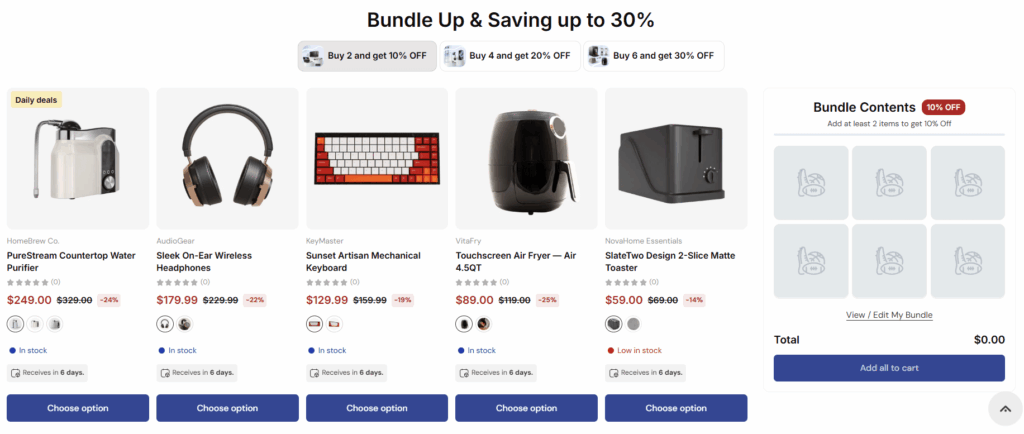
A great way to tell customers to buy more without actually saying it. With the product bundle section on the Maximize Theme, there is no limitation on bundle quantities. Customers can adjust quantities freely, without friction or confusing rules.
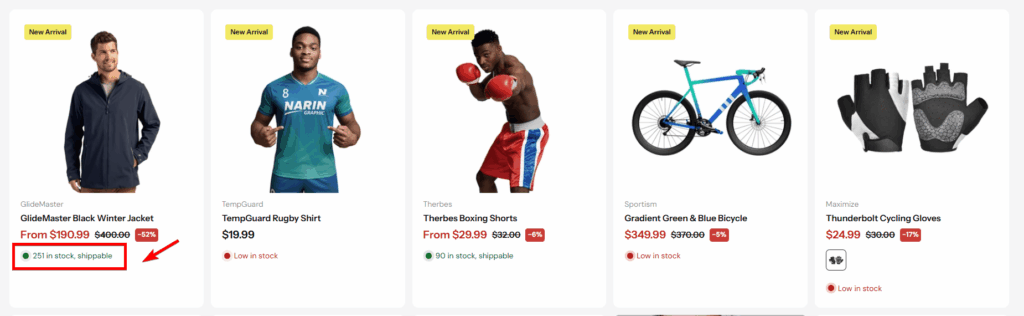
Inventory Transparency: Maximize allows you to show real-time inventory levels directly on the product card. For a B2B buyer, knowing you have 500 units in stock is the difference between a confirmed order and an abandoned cart.
Detailed product page:
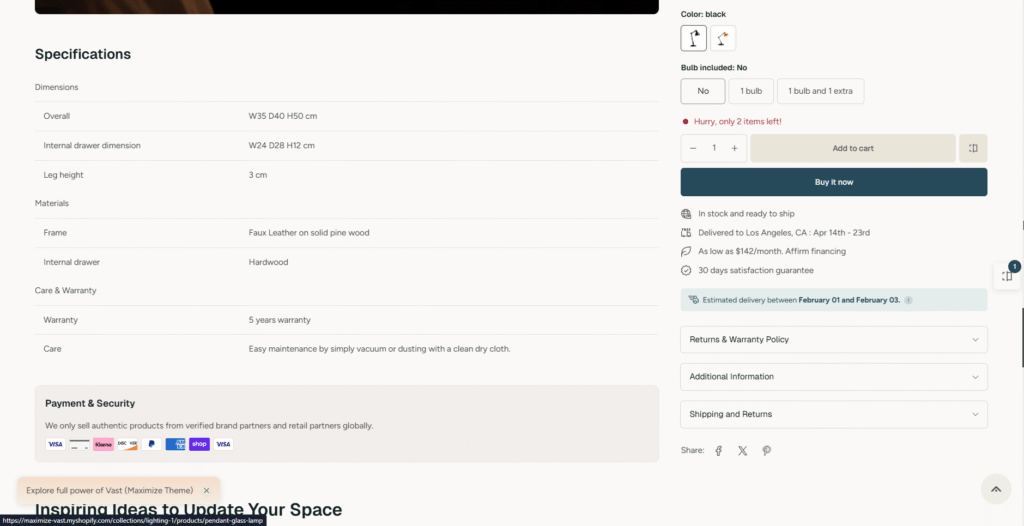
That answers all the questions before your customers asked. The Product information section has more than 20 built-in blocks to show different information without feeling overwhelming or cluttered.
The “Savings Signal”:
Our Product Labels and Badges are designed to be clear and professional. They don’t just say “Sale”; they can display the percentage saved on bulk purchases, or show the high-quality badge that the product has. This makes the ROI of a wholesale order immediately obvious to the buyer.
4. “I must compare specifications, SKUs, or compliance details – side by side.”
Comparison should never be an option, especially in the B2B buying process. Because they (your customers) need to buy a lot of different products, a small distinction is worth noticing. For example, comparing:
- Similar products with small technical differences
- Multiple SKUs within the same product line
- Compliance standards before internal approval
Not only accurate, but your store’s online comparison needs to be convenient, too. If comparison requires opening multiple tabs, downloading files, or switching tools, the buying flow breaks. When that happens, buyers either slow down or leave.
💡 How does the Maximize theme solve this?
By giving buyers built-in comparison tools and data visibility, directly inside the storefront.
Product comparison overlay
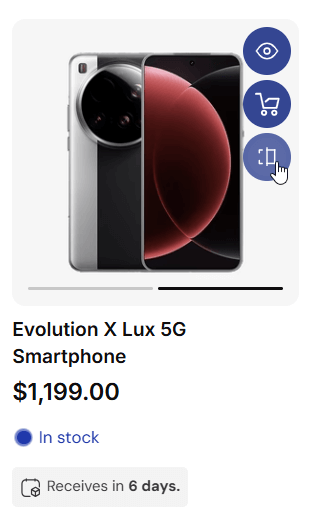
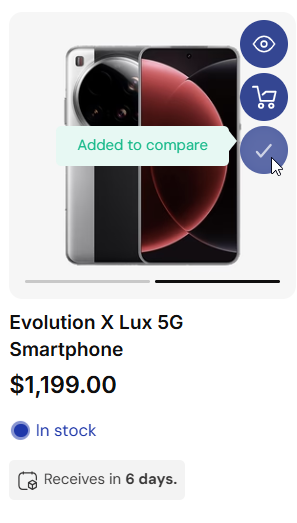
Maximize allows buyers to add products to a comparison list and view them side by side in a product comparison overlay.
Customers can add up to 5 products to the list to compare them at once.
Quick, easy, and compare without leaving the page.
This is especially powerful for B2B buyers because:
- Products are compared side by side
- Key differences are immediately visible
- Buyers don’t need to jump between tabs or pages
Stop forcing your customers to “memorize” specs or “note things down” on another spreadsheet; buyers can make confident decisions in one place, faster and with fewer errors.
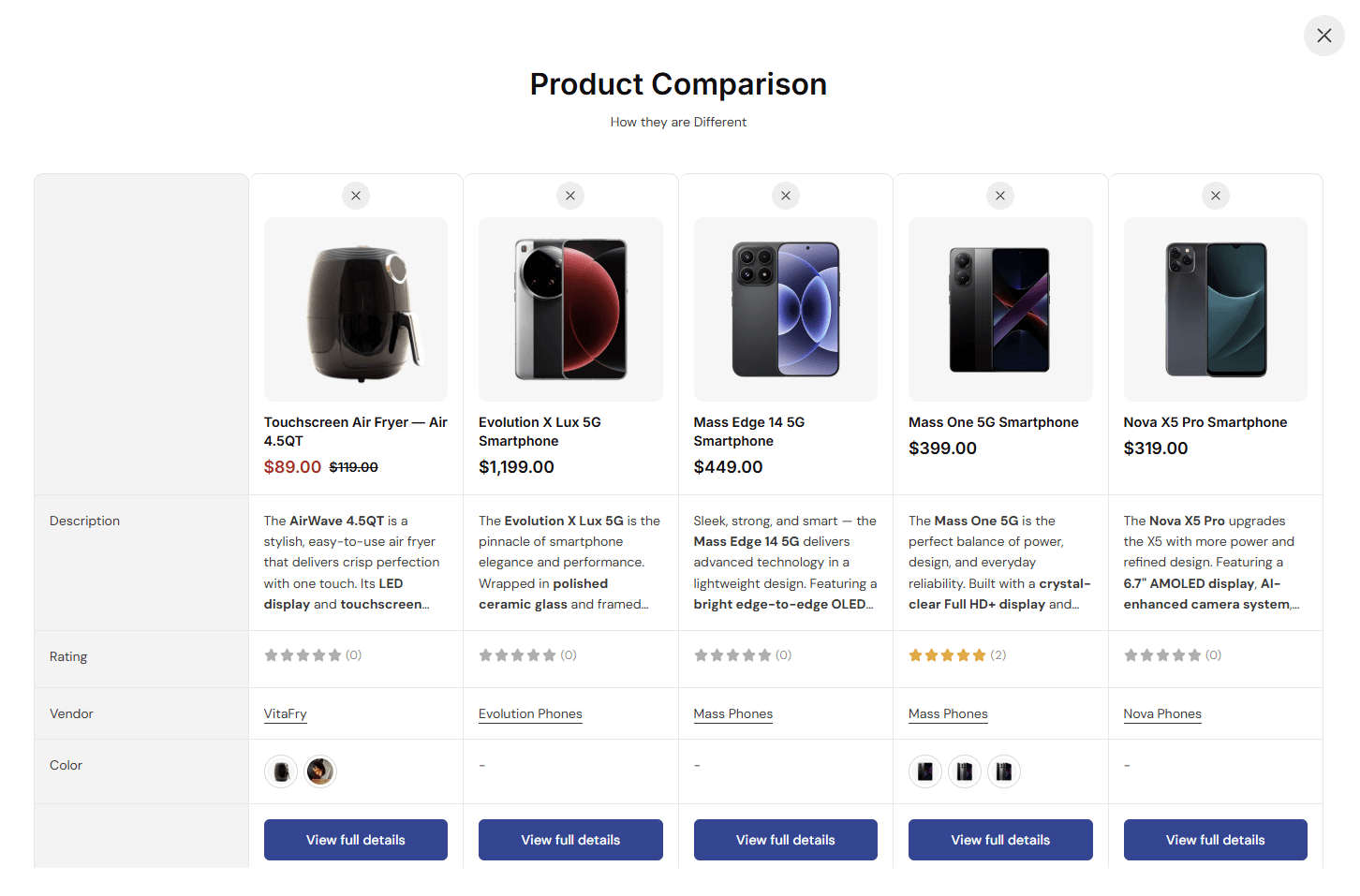
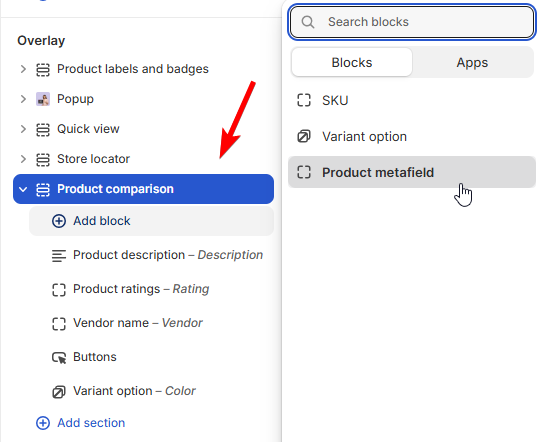
More than that, the Product Overlay Comparison feature also lets you adjust which aspects are used for comparison. They can be SKU, the variant options, or any custom product characteristics using metafields. This gives you more flexibility and better customization for your online store.
How can Maximize theme go beyond what your customers expect?
1. Built-In Features That Reduce App Dependency & Cost
Many B2B merchants fall into the same trap: installing too many apps to make their store functional. Over time, this increases costs, slows down the site, and complicates maintenance.
Maximize includes built-in support for features such as:
- Pre-orders
- Partial payments
- Purchase flow enhancements
These are functions that B2B stores often need but usually pay extra for through third-party apps. By having them integrated at the theme level, you reduce monthly app fees, performance risks, and technical complexity. For growing B2B businesses, this translates directly into lower operating costs.
2. Education and Marketing – Without Getting in the Way
Not all B2B products are simple. Some require explanation, use cases, or onboarding.
Maximize includes flexible content and storytelling sections that can be used to:
- Explain how products are used
- Highlight key differentiators
- Educate buyers without overwhelming them
The key difference is balance. The theme allows you to educate where necessary, but it never forces marketing content ahead of purchasing actions.
The Bottom Line: A Theme That Respects B2B Reality
B2B ecommerce does not need more decoration. It needs better systems. So, if you are:
- A wholesaler or distributor with a large product catalog
- A manufacturer selling directly to business customers
- A B2B brand focused on repeat orders and efficiency
- A merchant who wants fewer apps and lower overhead
Then, the Maximize Shopify Theme is your best choice! It is one of the most suitable Shopify themes for B2B because it respects how B2B actually works. It prioritizes speed over spectacle, clarity over clutter, and function over hype.
Plus, Omni Themes, the development team behind the Maximize, them bring up a new release every month. This helps to make the theme more up-to-date with better and more modern features. For example, the Maximize theme is planning to bring up the Product Showcase section in some months, which helps to highlight product details even better!
Start your business with the Maximize Theme, get assistance with free design consulting, and store setup. And your growth starts now!