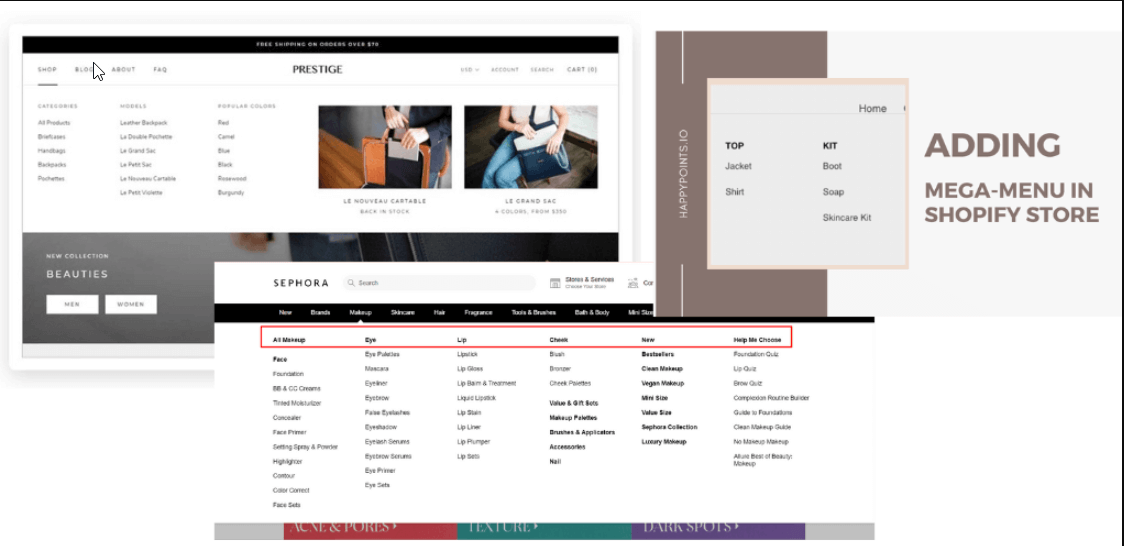
A mega menu is essential for improving the usability and navigation of an online store. It serves as a thorough guide that makes it easy for consumers to navigate through a wide range of items and categories in a specific online store.
In this article, we are going to introduce you to the top 10 + best Shopify themes with mega menu that can help you build a perfect mega menu for your online brand. Additionally, we will also mention the essential steps to help Shopify merchants build a mega menu from scratch.
What are the top 10+ Best Shopify themes with mega menus in 2026?
The best Shopify themes with mega menu in 2026 include Eurus, Avante, Maximize, Pipeline, Impulse, and Warehouse. These themes support advanced multi-level navigation, visual menu blocks, and high-performance layouts suitable for both small and large product catalogs.
Omnithemes.com will have a deep look at the 10+ best Shopify mega menu themes that can assist with this task effectively.
| Theme name | Price | Average rating |
| Eurus | $350 | 100% positive |
| Avante | $290 | 99% positive |
| Maximize | $200 | 100% positive |
| Pipeline | $360 | 98% positive |
| Charge | $170 | 97% positive |
| Impulse | $380 | 95% positive |
| Cornerstone | $340 | 91% positive |
| Prestige | $380 | 90% positive |
| Warehouse | $320 | 85% positive |
| Pinnacle | $320 | 67% positive |
| Refine | $270 | None |
Now, it is time to investigate deeper into each option and see which is your optimal choice to build the ideal mega menu for your online store:
1. Eurus
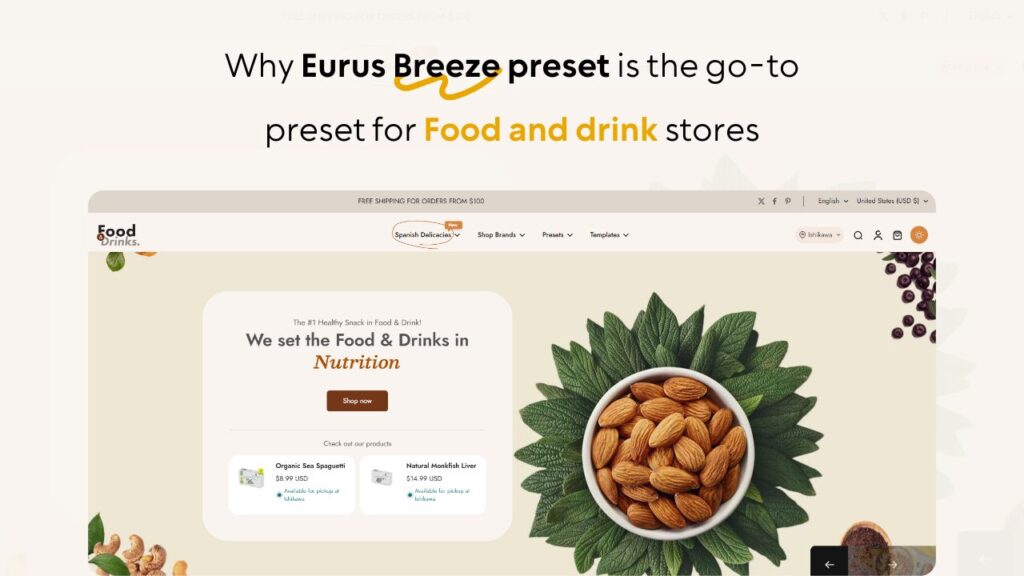
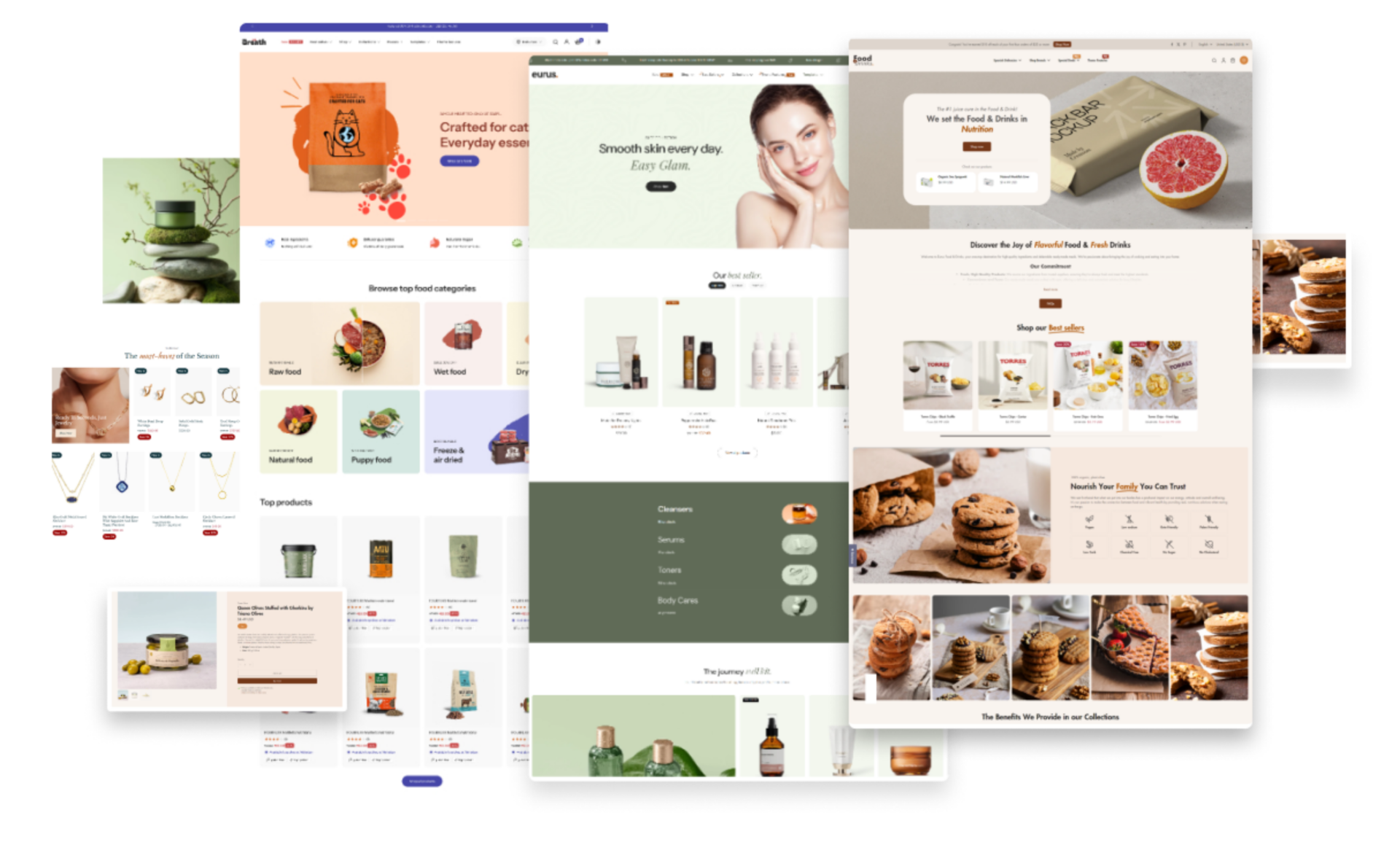
Released on April 14, 2023, the Eurus theme is one of the best Shopify themes mega menu focusing on fast, mobile-friendly, and feature-fulfillment for online merchants.
Packed with various design features, the Eurus theme can easily support the customization of the mega menu. It allows users to simplify the mega menu creation process with its drag-and-drop function, helping save time and effort on the overall process.
Main features
- 4-level mega menu: As several themes only offer a 3-level mega menu for a maximum, the Eurus enables users to set up the mega menu with up to 4-level layouts to showcase more product categories/ product tiles.
- Drag-and-Drop Interface: As mentioned above, the drag-and-drop feature helps simplify the customization process of store merchants as they can simply drag the desired sections and drop them into the design.
- Multiple Layout Options: The theme presents a considerable number of pre-made templates so that store owners can pick the style most appropriate for their stores’ products/ services.
- Product display in the mega menu: Customers can directly add their preferred products to their cart without having to proceed to the product page. This helps save time and effort in choosing the desired products.
- Show promotional banners/ blogs: The theme allows merchants to show up to 3 banners inside a menu item. This helps stores promote their promotional programs and featured blog posts right at the mega menu and enables customers to approach such content at the fastest pace.
2. Avante
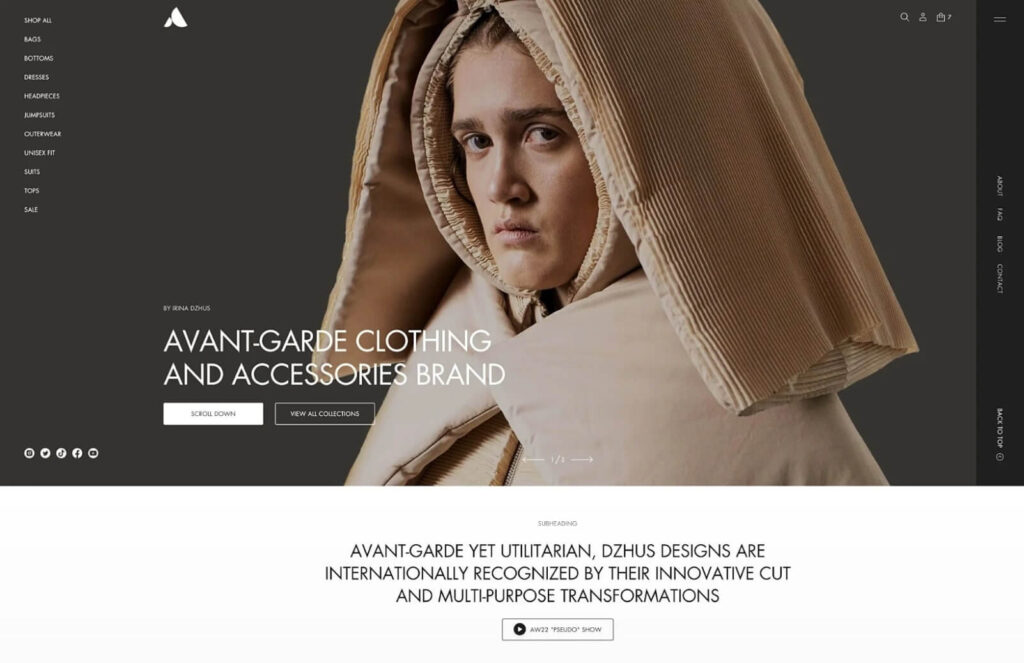
Avante is the premium, highly customizable Shopify theme dedicated to raising fashion and lifestyle brands to the next level. By getting Avante themes luxurious UI/UX with EU translations, store locator, age verifier, color swatches, and visual storytelling—high-resolution images, animation, and product videos. In addition to this, it features an advanced mega menu that is highly responsive to make the shopping experience smooth on all devices.
Main features:
- Feature-rich: Provide more than 40 sections that have highly customizable designs and an advanced setup.
- Optimized for performance: The theme functions and visuals are created with the website speed in mind, guaranteeing the store runs smoothly without any delays.
- Tailored for trendsetters: Offer improved customer engagement with a luxury feel UI/UX combined with captivating visuals. Great for fashion, accessories, art, and beauty brands.
3. Maximize
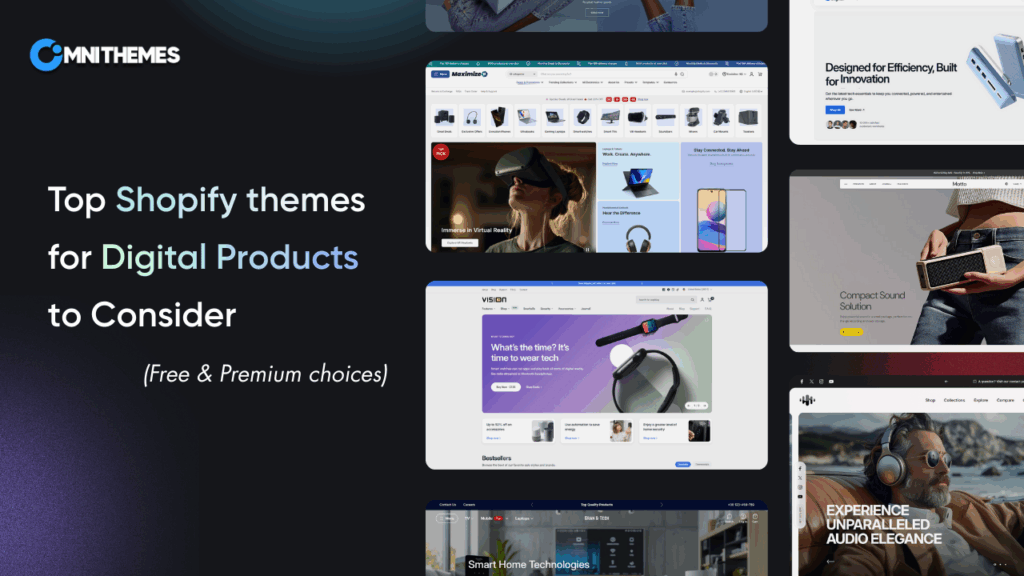
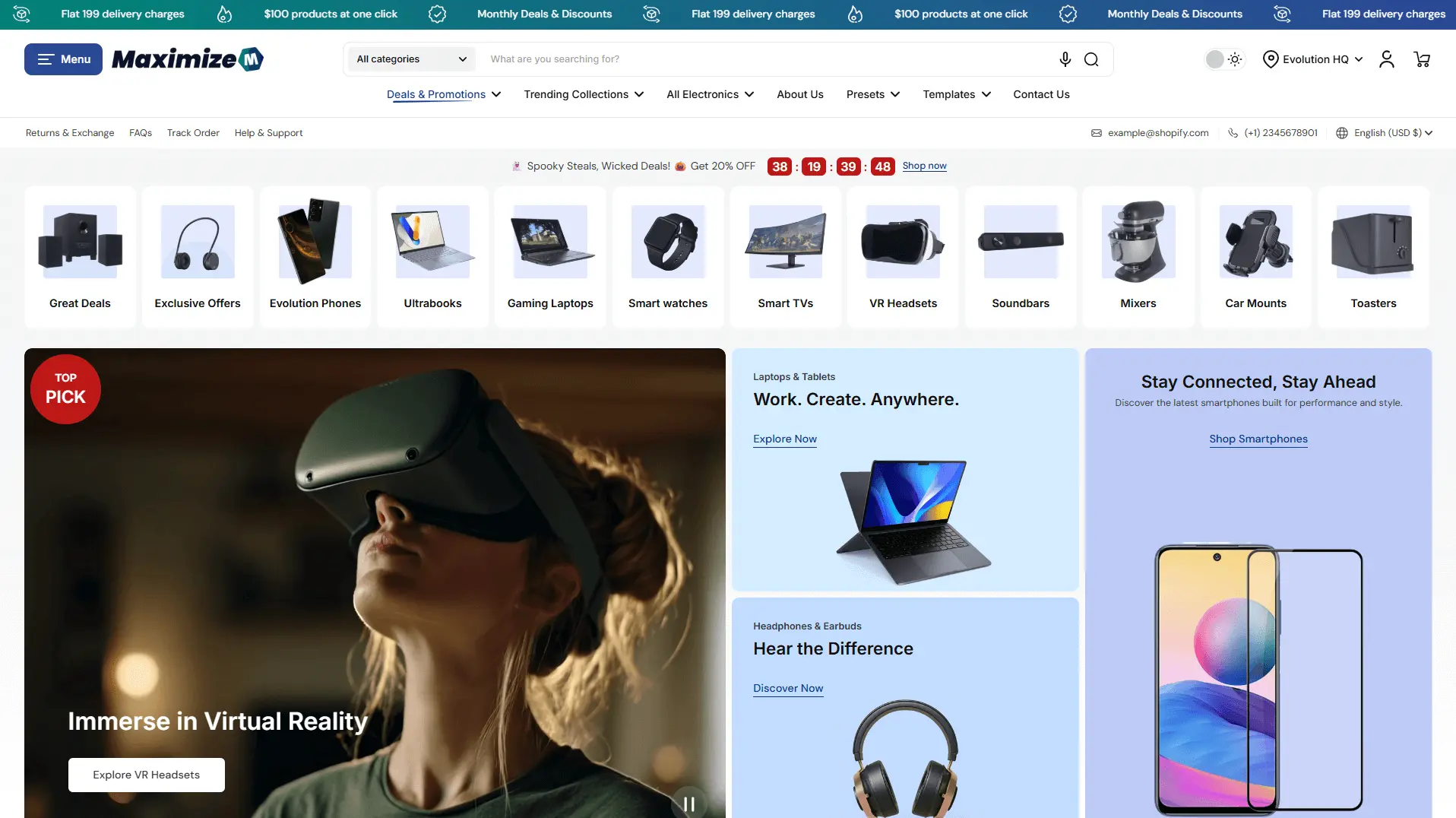
Launched in 2025, Maximize is a performance-focused Shopify theme built specifically for large catalogs, electronics, sports gear, and high-volume stores. One of its strongest advantages lies in its advanced mega menu system, which is designed to help shoppers navigate hundreds or even thousands of products with clarity and speed.
Unlike visually heavy themes, Maximize prioritizes structured navigation, product discoverability, and conversion efficiency, making it an excellent choice for merchants who rely on their mega menu as a core sales-driving component.
Main features
- Advanced multi-column mega menu: Maximize allows merchants to create wide, well-structured mega menus with multiple columns, ideal for grouping large product categories, subcategories, and featured collections in a logical hierarchy.
- Special drawer menu style: The drawer menu helps customers navigate throughout the site easily with a visually cluttered layout and clear order.
- Product-focused navigation blocks: Merchants can highlight specific products, collections, or promotional items directly inside the mega menu, helping customers jump straight to high-intent destinations without unnecessary clicks.
- Optimized for large catalogs: The mega menu is engineered to remain fast and responsive even when handling extensive inventories, ensuring smooth navigation for electronics, sports, and multi-brand stores.
- Conversion-oriented layout design: Maximize support for banners, call-to-action blocks, and visual separators within the mega menu, guiding users toward best-selling categories or seasonal campaigns.
4. Pipeline
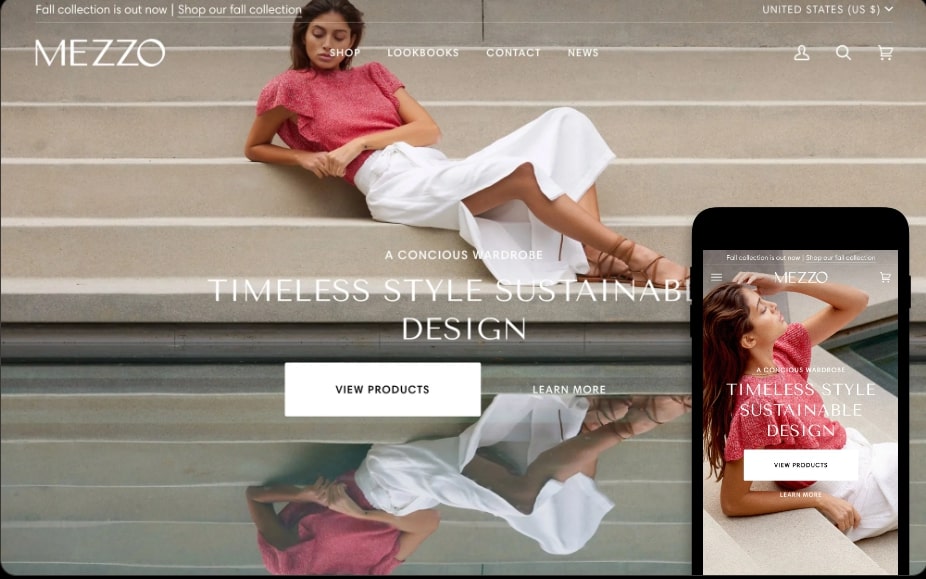
The Pipeline theme delivers a minimalistic design style that assists store merchants in creating a clean, clear, and easy-to-navigate mega menu. It focuses mainly on the full-width layout to help maximize the navigation space for displaying more information in the area.
Main features
- Wide Layout Coverage: The full-width mega menu option is an advantage of the theme, allowing the stores to create an expansive view of the product’s content, allowing them to showcase more content in a limited space.
- Minimalist Design: The clear, clean, and uncluttered layout design allows the store’s navigation to be straightforward for customers.
- Image Incursion Support: This function assists stores in adding more visuals to the mega menu, highlighting particular products or categories in the most desired way.
5. Charge
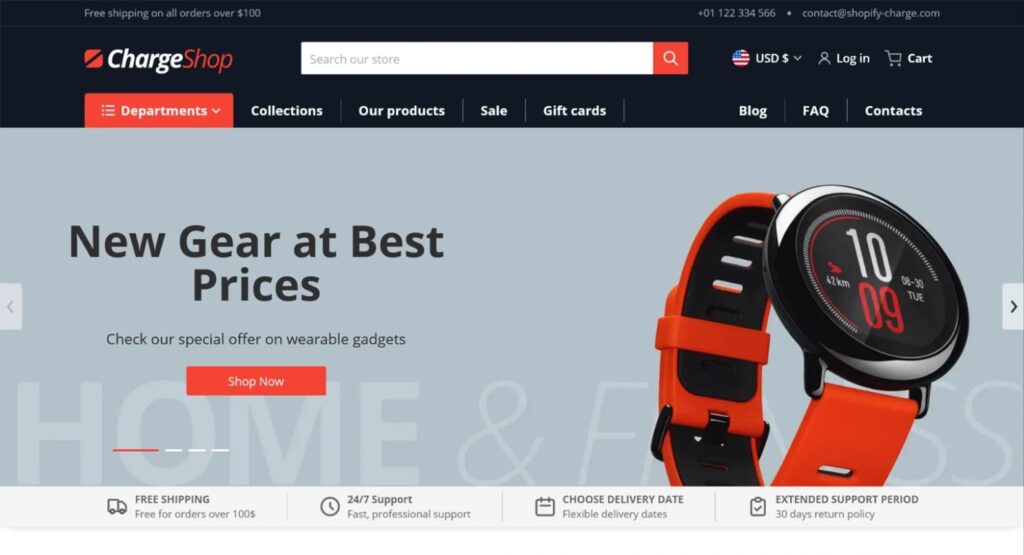
The Charge theme is a versatile and multipurpose Shopify theme with mega menu designed to elevate your e-commerce store’s performance. With its clean and modern design, Charge is optimized for speed, ensuring fast loading times and a seamless user experience. This theme is particularly well-suited for selling electronics, sports equipment, books, furniture, machinery, and corporate-branded products.
Main features:
- Diverse functionalities: The theme has many powerful features, including upsell opportunities, customizable contact forms, product badges, promo banners, and much more.
- Powerful upsell features: Multiple options to boost cross-selling and upselling on all main pages.
- Multi-language translations: Charge supports multiple languages and includes EU translations, making it a great choice for international businesses.
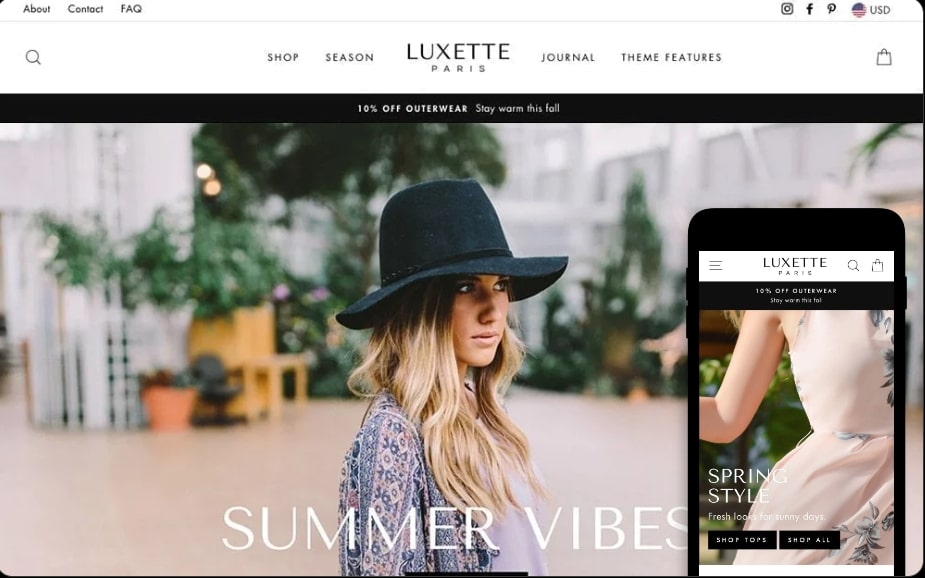
6. Impulse
The Impulse theme is one of the best Shopify themes, with a mega menu feature supported. Store owners can integrate engaging content, like promotional titles, product names, etc., directly into the mega menu to allow customers to navigate to every section of the store at the fastest pace.
Main features
- Customizable Menu Blocks: The function allows users to personalize their mega menu with different blogs, text, links, images, etc., to match the overall visual of the storefront.
- Dynamic Promotion Tiles: The mega menu is integrated with promotional content to allow brands to highlight their special info like promotions, new arrivals, limited offers, etc., to attract customers’ attention while visiting the store.
- Seamless Integration with Collections: Stores can directly link their product collections at the mega menu area to streamline customers’ experience.
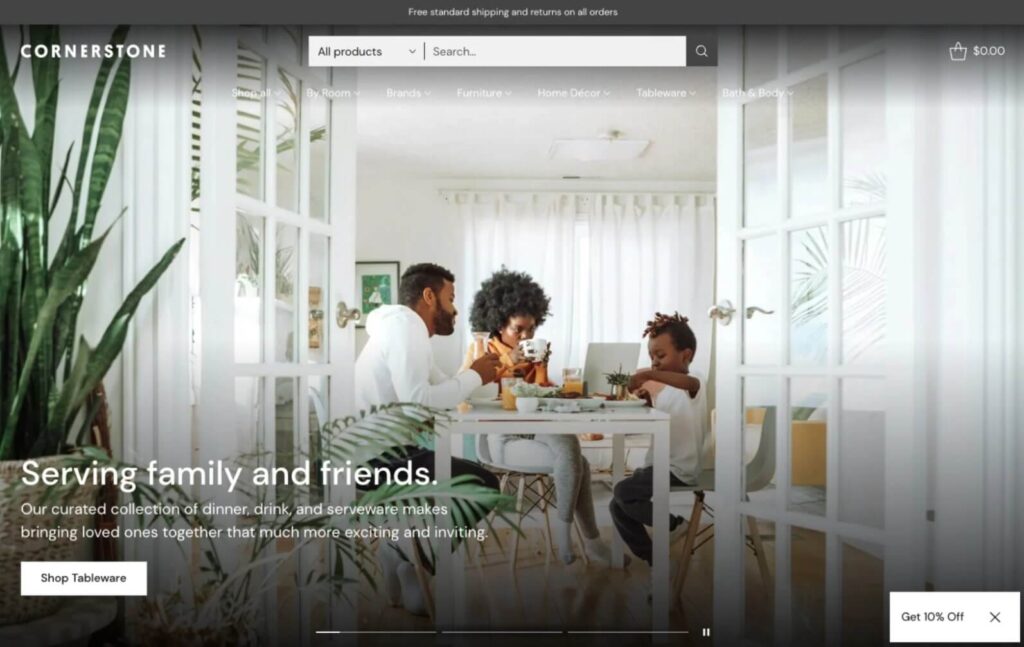
7. Cornerstone
Cornerstone by Fluorescent Design Inc. is an extremely adaptable and powerful Shopify theme designed for high-volume stores. It can boast a flexible design together with advanced functionality, which makes it perfect for large catalogs. The dynamic styles of the mega menu allow you to create the most suitable menu style for your store, with the aid of images and banners, making Cornerstone one of the best Shopify theme mega menus.
Main features:
- Seamless Shopping: Quick add-to-cart, in-cart free shipping countdowns, product upsells, promo pop-ups, and sales countdown banners.
- Optimized Mobile Layouts: Flexible mobile layouts with optimized mega navigation, content blocks, and a sticky add-to-cart bar.
- Product Discovery: Enhanced search, infinite scroll, mega menu, product filtering, and sorting.
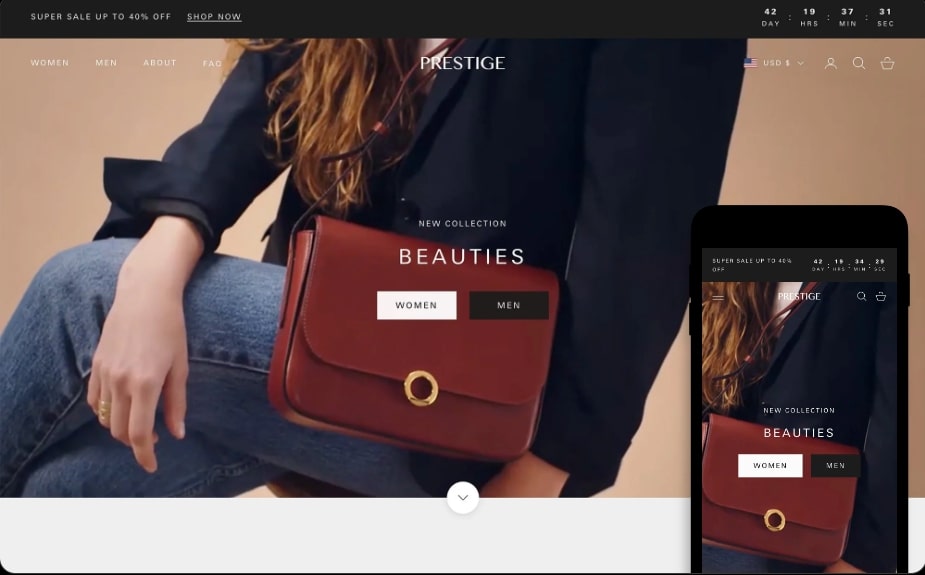
8. Prestige
The Prestige theme is tailored for luxurious and vintage online stores with its elegant design style to highlight the mega menu of the stores. It is a special Shopify theme with a mega menu that allows image integration into such areas and helps boost the visualization in an efficient way.
Main features
- Interactive Hotspots: This is an interactive function that improves customers’ engagement with the mega menu, as they can click on the hotspots/ dots to read the product information in detail or proceed to the link with detailed information about the product.
- Elegant Design Options: The particular style supports stores selling luxurious and high-end products. The mega menu can absorb this elegant style to make it similar to the visual of the storefront in general.
- Simplified Navigation Hierarchy: The organization of the mega menu is guaranteed to help customers find the exact product they want in a short amount of time.
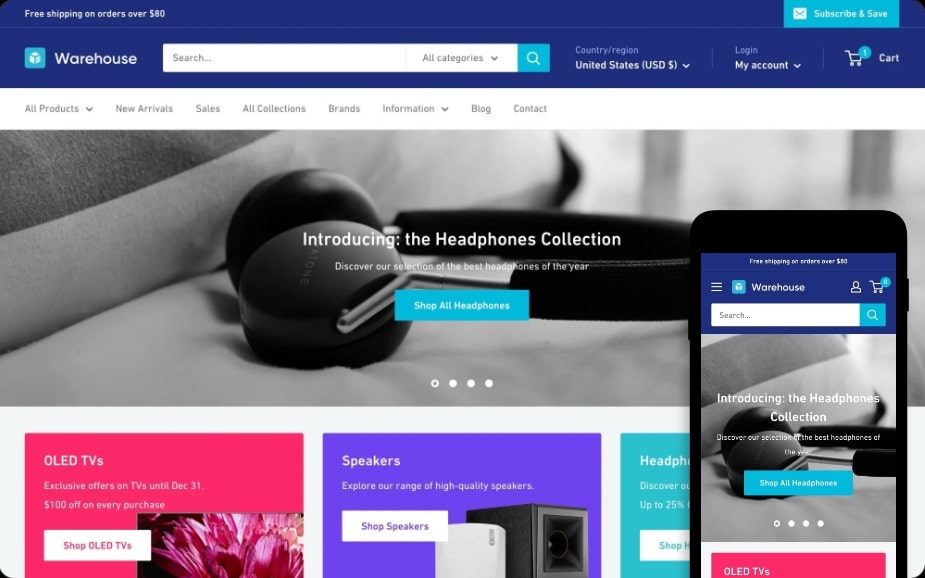
9. Warehouse
The Warehouse theme is also a Shopify theme’s mega menu that aims at online stores with large inventories since its mega menu is capable of presenting a vast number of products in an organized way. The theme also enables quick access and customized widgets to maximize the functionality of the store’s mega menu.
Main features
- Bulk Inventory Display: The theme empowers online stores to handle and display different large inventories inside the mega menu, allowing clients to browse detailed product lists.
- Quick Access Links: The inserted links inside the mega menu are a means for immediate navigation to specific areas of the store.
- Customizable Widgets: The addition of custom widgets like search bars or HTML blocks can offer flexibility in searching for the most appropriate products for stores’ customers.
>>> Maybe you’re interested: 10 Best Shopify Themes for Furniture and Home Decor in 2025
10. Pinnacle
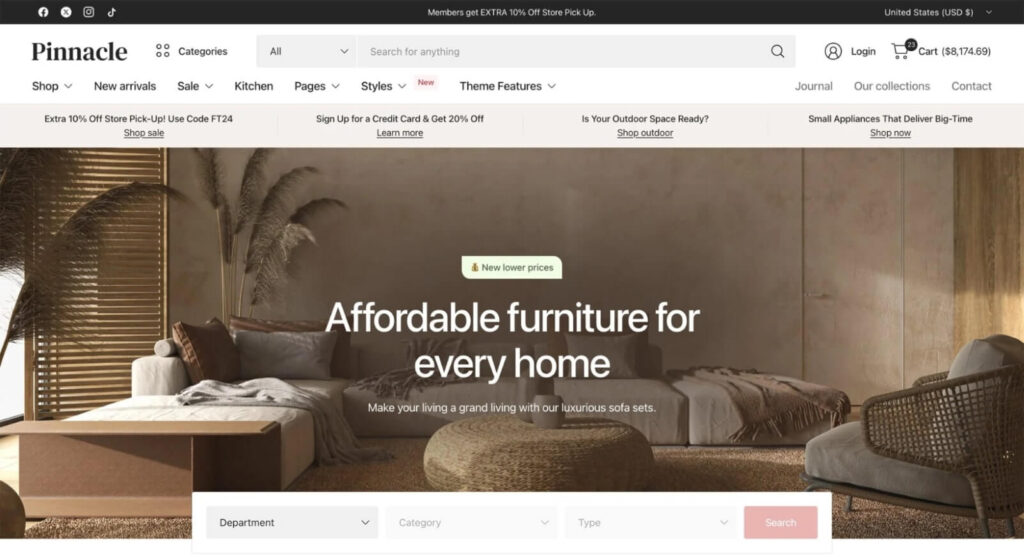
Pinnacle is a premium Shopify theme for stores carrying extensive product inventories or running a dropshipping business. Its extremely advanced functionality is optimized for high conversion rates to handle large product catalogs at exceptional speed. Pinnacle offers a wholesome solution to customize the looks of the menu, making it one of the best Shopify themes mega menus. Pinnacle is an excellent accelerator of sales and a revenue booster for high-volume stores due to its performance-driven approach and multi-lingual support.
Main features
- Endless header features: Choose from four mega menu options and combine your site header with other sections to create your own layout.
- Speed boost: The theme is optimized for high performance, make sure your site loads fast without any delays, even with large catalogs.
- Customization Options: It offers over 30 customizable sections, allowing you to create a unique and engaging shopping experience.
11. Refine
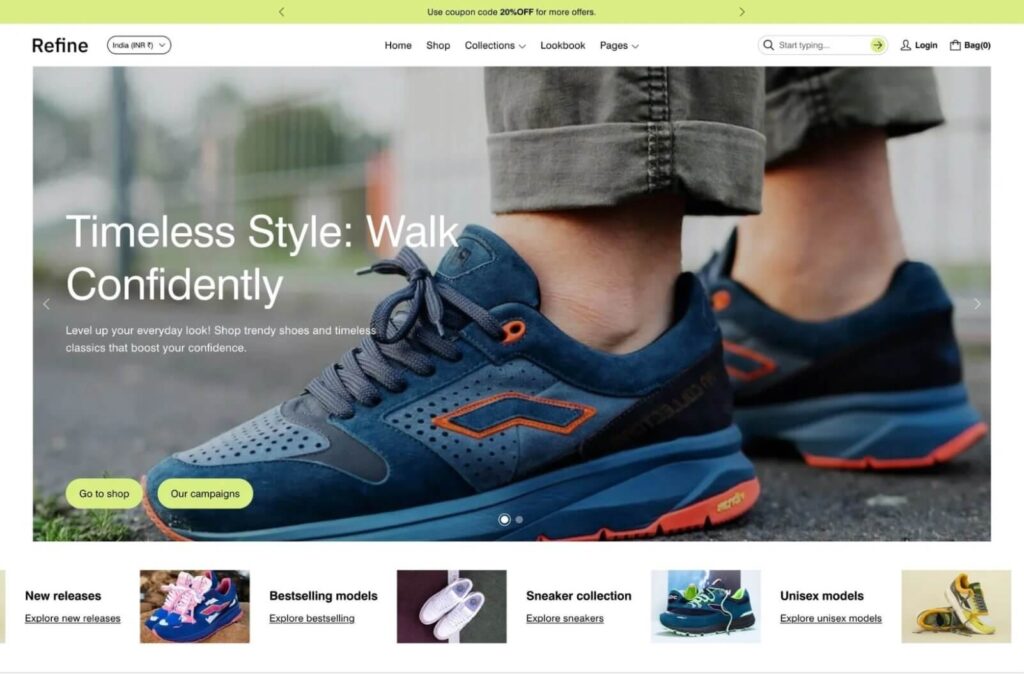
The next notable name in the list of top popular themes mega menu is the Refine Shopify theme. It is a contemporary, elegant theme and is charged with showing goods in the best possible light. It boasts unique areas for cards, slideshows, images, and texts that suit visual storytelling better. Besides, it is one of the most customizable themes that has a built-in mega menu. The Refine theme is perfect for any kind of business that wants to have a modern, classy online presence with its detailed and beautiful user experience.
Main features:
- Outstanding sections: Many unique section designs to show cards, slideshows, images, and texts with an elegant and minimal style.
- Customization options: Easy to customize and expand the section to meet the Shopify store owners’ specific needs and requirements.
- UX-optimized design: The Refine theme puts a focus on the details of every theme template, making it visually pleasing while creating a seamless user experience.
How to build a mega menu in your Shopify store?
After reviewing the 10 best paid Shopify templates with a mega menu available in 2025, we will move on with the insight guides on directly building a mega menu in your Shopify store. After the guide, you can learn how to create a custom mega menu in Shopify.
We will divide the process into two main stages: Set up the drop-down menu for your Shopify store (Step 1+2+3), and enable the mega menu on your live store (Step 4+5+6). Let’s waste no time and begin now.
Things Needed?
Step 1:
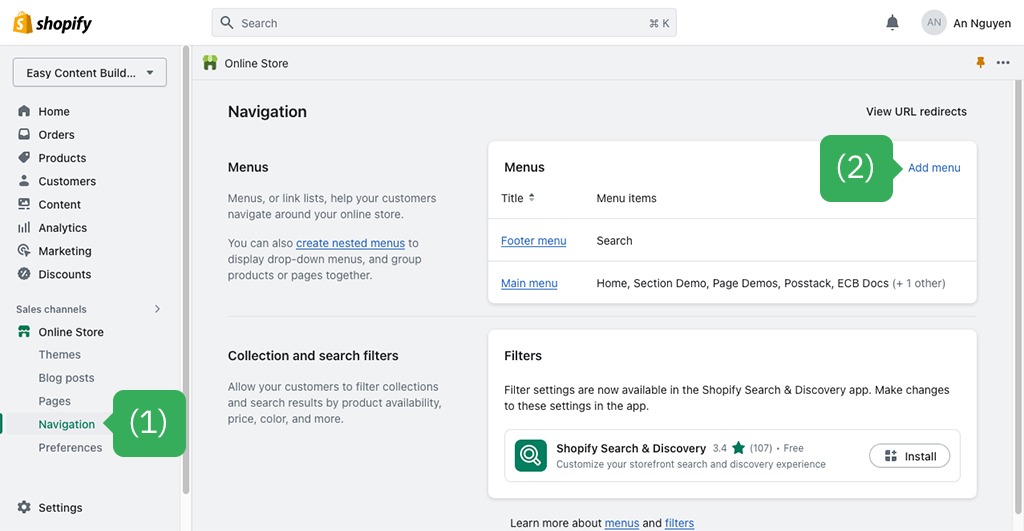
Proceed to the Shopify admin dashboard, view the Online Store area (at the left bar) → click the Navigation button.
Step 2:
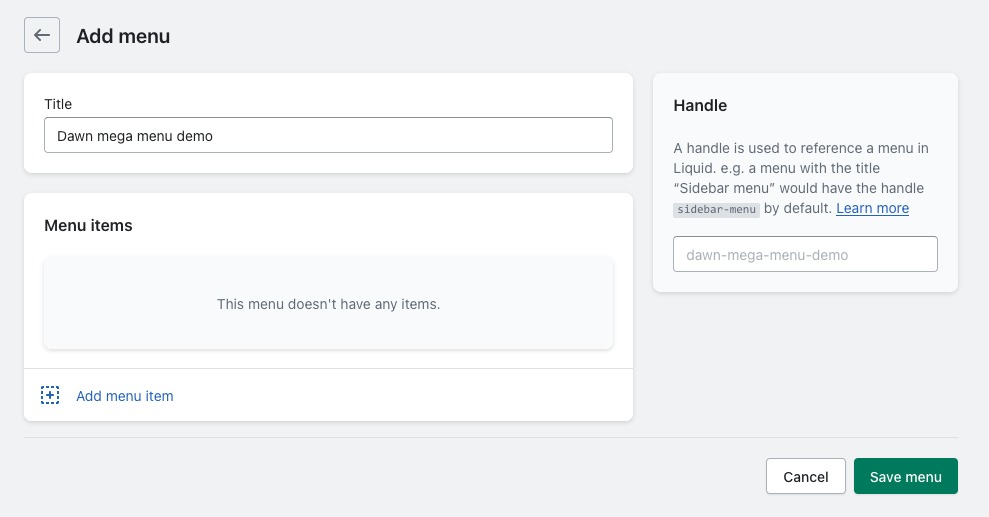
In the Navigation area, you can click the Add menu button to start the process. Here, you can fill in the required information for the menu, including Title, Menu items, and Link (website URL, product type, product categories, blog posts, etc.).
Step 4:
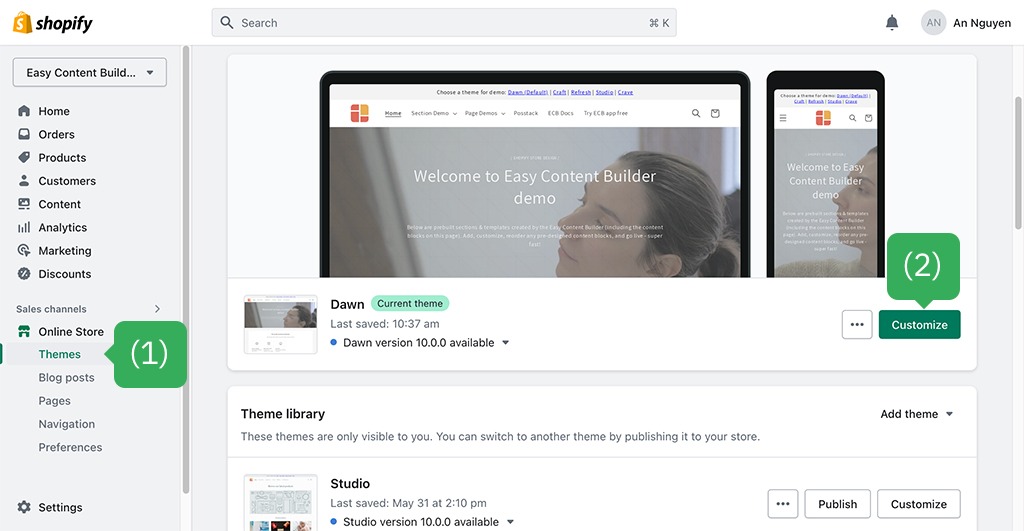
Return to your Shopify admin dashboard → Online stores → Themes → Select the theme you want to work with (like Eurus) and click the Customize button.
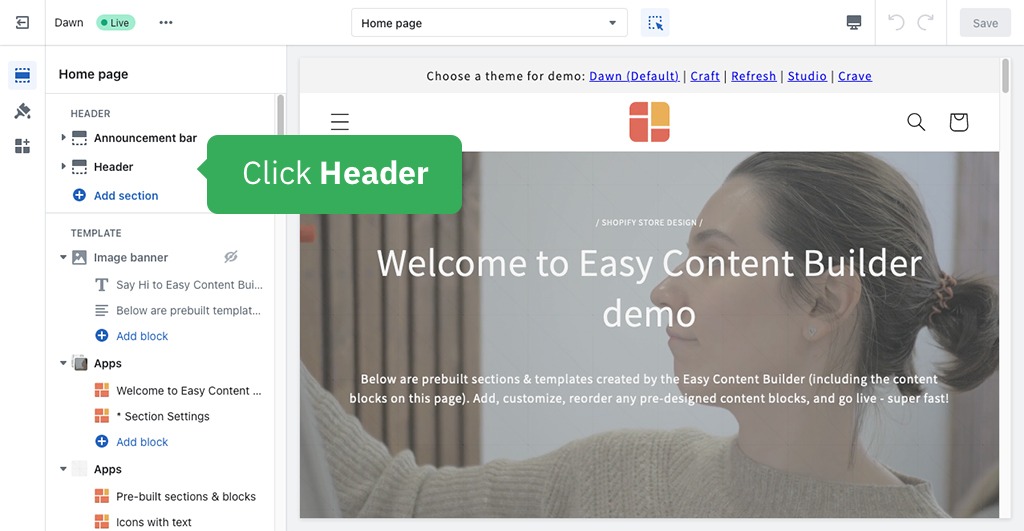
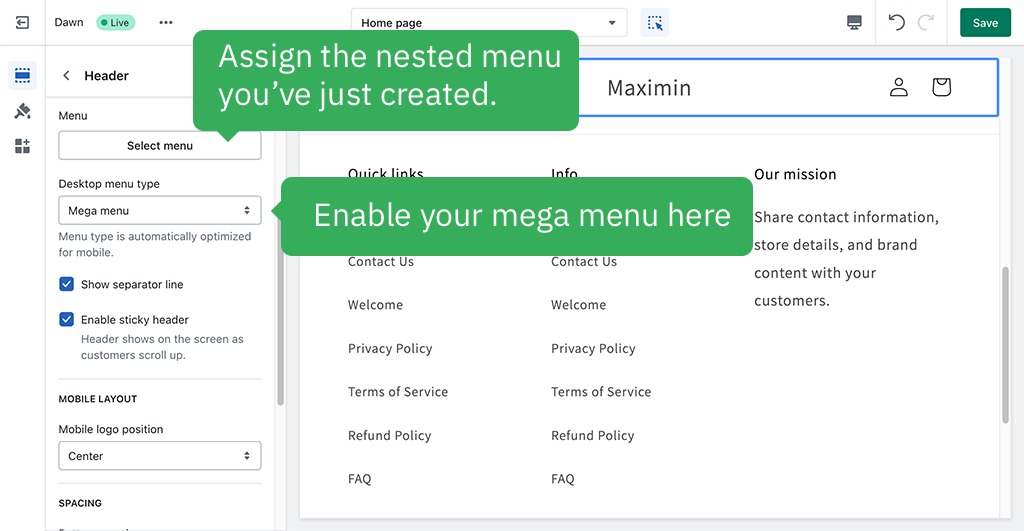
And that’s how you can create and add the Mega Menu to your Shopify store. If you have other exciting ways to do it, don’t mind sharing with us! In case you want to set up additional features with your mega menu (like how to add an mage in the mega menu Shopify), please refer to our instruction video here.
Final thought
We have gone through the review of the 10+ best Shopify themes mega menus that you should take into consideration, as well as the indispensable steps to build a stunning mega menu for your own online store. Remember that if you do not have much money to afford a paid theme like Eurus, there are some free Shopify theme options to consider.
Our advice is that you should select the most appropriate theme with your demands and budgets and follow our strict guide to assist you in your mega menu formation for your online store. Seeking the ideal theme for your Shopify theme? Follow us at Omnitheme.com to stay updated on our latest posts regarding Shopify themes, useful tips & tricks.