One of the first decisions every new Shopify merchant faces is the theme. You’ve already paid for your Shopify subscription, maybe sourced products, and now the storefront itself wants another few hundred dollars. Before you pull out your card — or settle for a free theme and wonder what you’re missing — here’s exactly what you need to know.
Shopify theme prices range from $0 for free themes to over $500 for premium options on the official Theme Store — but the price tag tells only half the story. This guide breaks down every Shopify theme type, what you actually get at each price point, and why the real difference between free and paid themes isn’t quality — it’s the number of section types available to build your store.
Shopify Theme Types: What They Are and How They Differ
Shopify themes are available from four main sources, each with a different price range and — more importantly — a different number of built-in section types:
Source | Price Range | Payment Type | Sections Included | Quality |
|---|---|---|---|---|
Shopify Theme Store (Free) | $0 | Free forever | ~15–20 section types | Reliable |
Shopify Theme Store (Paid) | $100 – $500 | One-time fee | 35–50+ section types | High quality |
ThemeForest / 3rd Party | $20 – $200 | One-time fee | Varies | Varies |
Custom Development | $1,000 – $10,000+ | Project fee | Fully bespoke | Bespoke |
All official Shopify theme purchases are one-time fees — you pay once and own the theme indefinitely, with no recurring charges.
But Shopify theme price and payment model are only part of the story. The more important difference between free and paid themes is the number of section types each one includes. Sections are the building blocks of your store — every homepage layout, product page, landing page, and promotional banner is assembled from them. More section types mean more ways to structure your pages, present your products, and build trust with visitors.
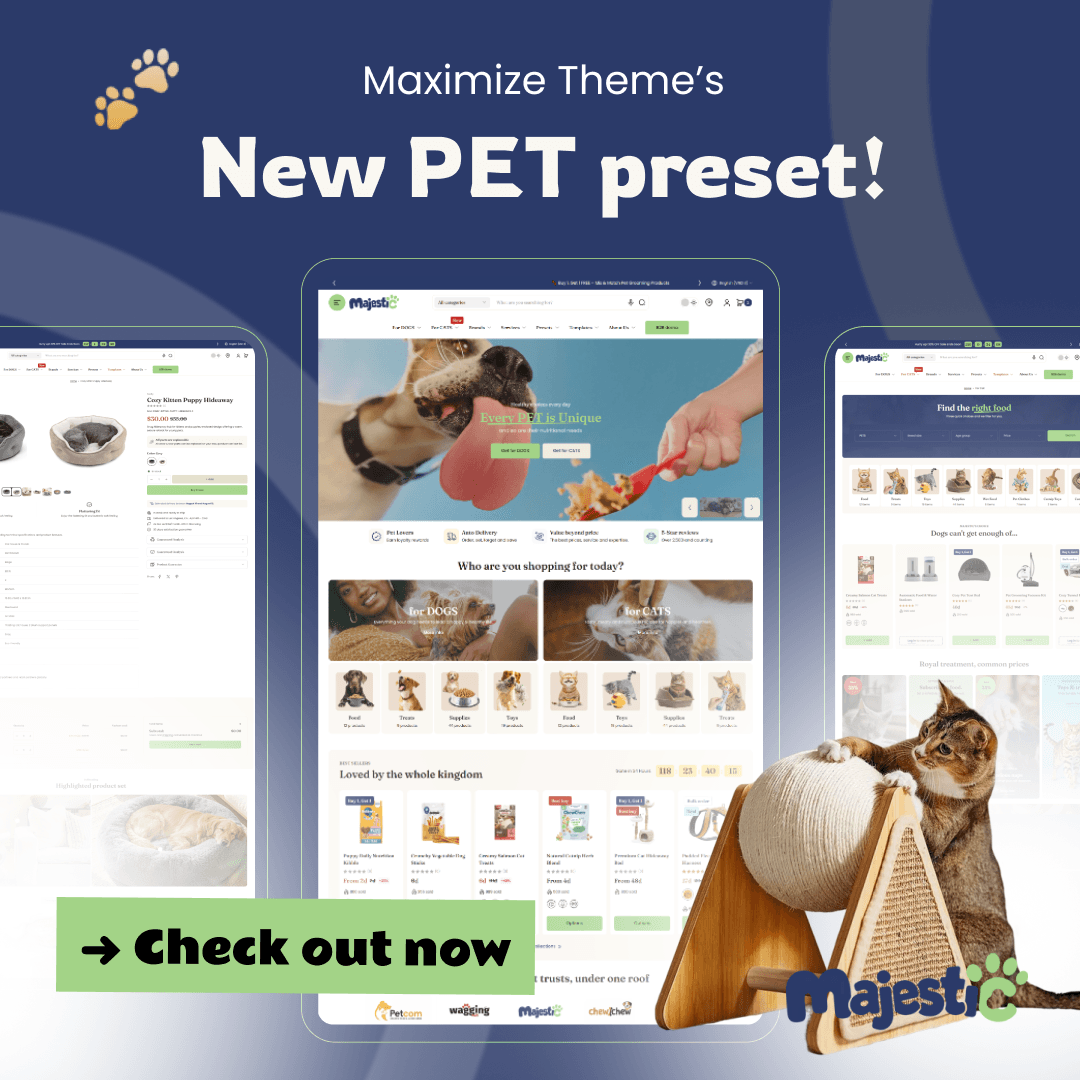
Take free themes like Horizon or Dawn: they ship with around 15–20 section types — a hero banner, a product grid, a text block, a basic testimonial row. That’s enough to launch, but the toolkit is limited. Paid themes like Eurus or Maximize come with 35–50+ section types: lookbooks, before/after sliders, countdown timers, feature carousels, and more. That’s what makes paid stores feel more layered and professional — not better underlying code, but a bigger design library.
Different section counts also suit different types of stores. A simple dropshipping store might do fine with 15–20 sections. A brand-focused store building out multiple landing pages, editorial content, and a rich product experience will feel constrained without more.
Once you understand that, the question of “how much should I pay for a theme?” becomes much easier to answer. Let’s look at each tier in detail.
Free Shopify Themes: What You Get (And What You Don’t)
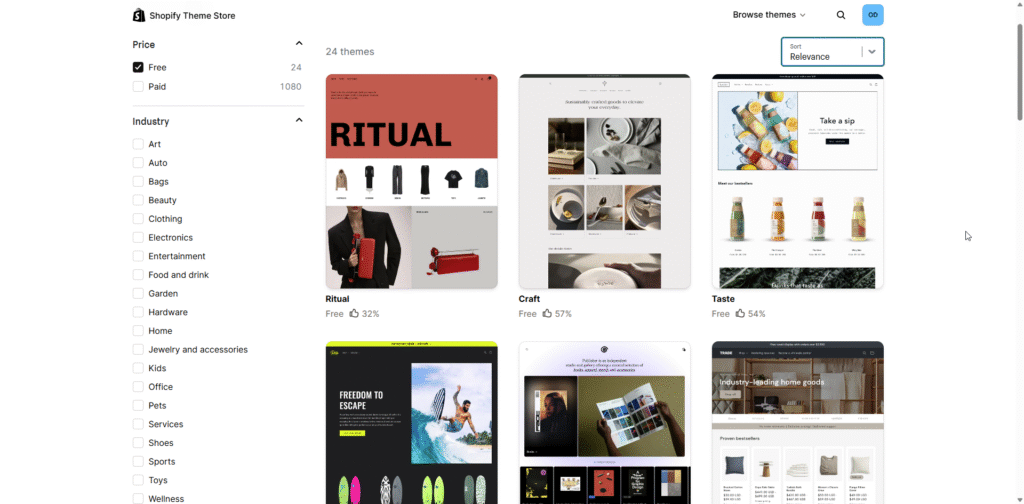
Shopify currently offers around 24 free themes in its official Theme Store, including Dawn, Horizon, Craft, Crave, Sense, Refresh, etc. These themes are:
✅ Free Themes Are Good At | ⚠️ Free Themes Fall Short On |
|---|---|
– Fast page load speeds – Mobile-responsive layouts – Maintained and updated by Shopify – Clean, minimal starting designs – Basic sections: hero, products, text – Safe, no-risk starting point | – Advanced sections variety – Built-in animations & transitions – Mega menus & complex navigation – Industry-specific section layouts – Dedicated theme support – Unique visual differentiation |
For a brand-new store with a limited budget, a free theme is a completely reasonable choice. Horizon, in particular, is used by hundreds of thousands of stores worldwide — it’s clean, fast, and flexible enough to launch with confidence.
The limitation isn’t quality — it’s depth. Free themes give you fewer section types and fewer design options, which means your store can end up looking like thousands of other stores using the same theme.
Paid Shopify Themes: Is the Price Worth It?
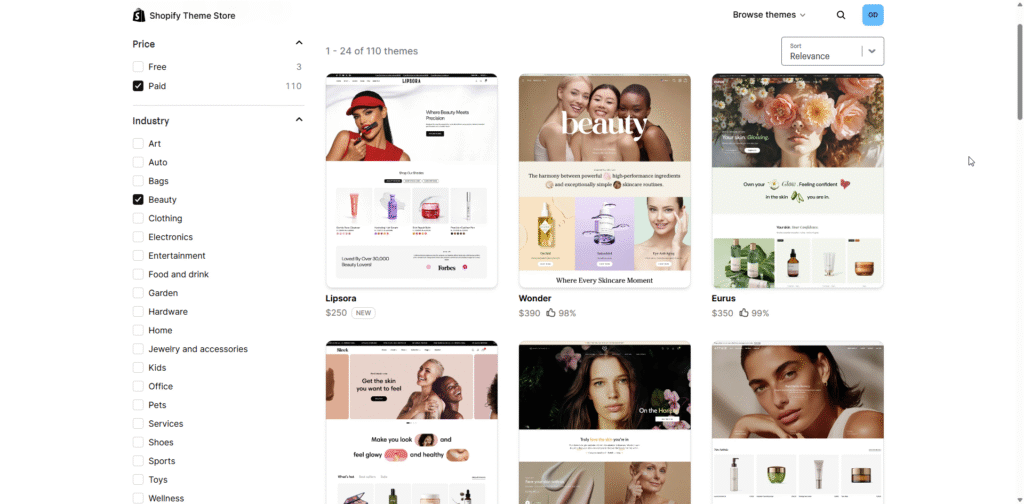
Premium Shopify themes typically cost between $180 and $500 on the official Theme Store. Popular paid options include Eurus, Maximize, Concept, Be Yours, etc. So what does that Shopify theme price actually buy you?
- More homepage section types
Paid themes ship with 35–50+ section types, including lookbooks, before/after sliders, promotional banners, testimonial carousels, and custom content blocks that free themes simply don’t include. That expanded library is the primary reason paid stores look more layered and customizable.
- Advanced animations & interactions
Scroll-triggered animations, hover effects, and smooth page transitions give paid themes a more polished, premium feel that’s hard to replicate with a free theme alone.
- Industry-specific designs
Many paid themes are built for specific niches: fashion, beauty, electronics, and food. The default layouts are designed around the needs of that industry rather than being generic.
- Dedicated developer support
When something breaks or you need help customizing, paid theme developers typically offer direct support channels. Free themes rely on Shopify’s general help documentation.
Try OT Section: Theme Sections Now!
A Budget-Friendly Alternative That Closes the Gap
For merchants on a tight budget, the obvious move is to start with a free theme. But as the section above shows, that comes with a real trade-off: fewer section types, less design flexibility, and a storefront that can end up looking like thousands of others built on the same base.
So the question becomes: is there a way to close that gap without spending $200–$500 on a premium theme? There is — and the two stores below show exactly what that looks like in practice.
Store A: Horizon theme only
Clean, fast, and professional enough to launch. Horizon gives you a full-width hero banner and a featured product grid — which covers the basics well. But scroll down and the page ends quickly. There are no trust-building sections, no editorial content, no promotional layers. Every page on this store is built from the same small toolkit of ~15–20 section types, which means limited flexibility as the store grows.
Store B: Horizon free theme + Shopify app OT Section: Theme Sections
Same free Horizon theme underneath — but a completely different experience on the surface. This store stacks a press logo bar for credibility, a categorized shop-by-type row, a featured editorial section, a before/after skin result module, a testimonial carousel, a community stories gallery, a latest news block, and an FAQ section — all without touching a single line of code.
That depth isn’t coming from a $300 paid theme. It’s coming from a library of 200+ ready-to-use sections from OT Sections: Theme Sections, added directly inside the native Shopify Theme Editor. No new tools, no page builder, no coding — just more building blocks to work with.
The result is a store that builds trust, guides the customer journey, and converts — at a fraction of the cost of going premium.
This approach means you can:
- Start with a free theme: Use Dawn, Horizon, or any other free Shopify theme as your base. Fast, reliable, zero cost.
- Add the exact sections you need: Browse a curated library of section types built for Shopify. Add hero banners, product grids, testimonials, feature rows, and more with one click.
- Customize without coding: All sections are configurable inside your Shopify theme editor. Change text, colors, images, and layout with the same drag-and-drop tools you already know.
- Keep costs minimal while you validate: Spend on marketing and inventory first. Upgrade your storefront’s design as your revenue grows, not before.
For most new merchants, this combination delivers 80–90% of what a paid theme offers, at a fraction of the cost — and it works with whatever theme you already have installed.
When Should You Actually Pay for a Premium Shopify Theme?
Invest in a paid Shopify theme when your store has consistent revenue, needs specific advanced functionality, or operates in a highly visual, competitive niche. For stores in their first 3–6 months, a free theme is usually the smarter starting point.
Your store is generating consistent revenue. At this stage, a $300 theme purchase is a justifiable business expense. You’re investing to differentiate, not gambling on an unproven concept.
You need specific built-in functionality that no free theme or app combination can replicate — like complex mega menus, advanced product filtering, or a built-in loyalty program UI.
You’re in a highly visual, competitive niche like luxury fashion or premium beauty, where design perception directly influences brand trust and average order value.
For everyone else — especially in the first 3–6 months — invest in driving traffic and converting customers before investing in a premium theme.
Frequently Asked Questions About Shopify Theme Price
Bottom Line: Spend Smart, Not Just Early
The honest answer to “how much should I pay for a Shopify theme?” is: as little as possible, until you have revenue to reinvest.
Free Shopify themes are far better than most people give them credit for. The real limitation isn’t theme quality — it’s section variety and design flexibility. And that’s a problem you can solve for a lot less than $300 with the right tools.
Start with a free theme. Add the specific sections your store needs. Validate your concept and your customers. Then — if and when your store’s success demands it — upgrade to a premium theme with confidence, knowing the investment will pay off.
If you’re ready to level up your homepage without touching a line of code, OT Section: Theme Sections is a great place to start.