If you sell wholesale, run a distribution business, or manage a large B2B catalog on Shopify, there’s a good chance your search starts in exactly the same place:
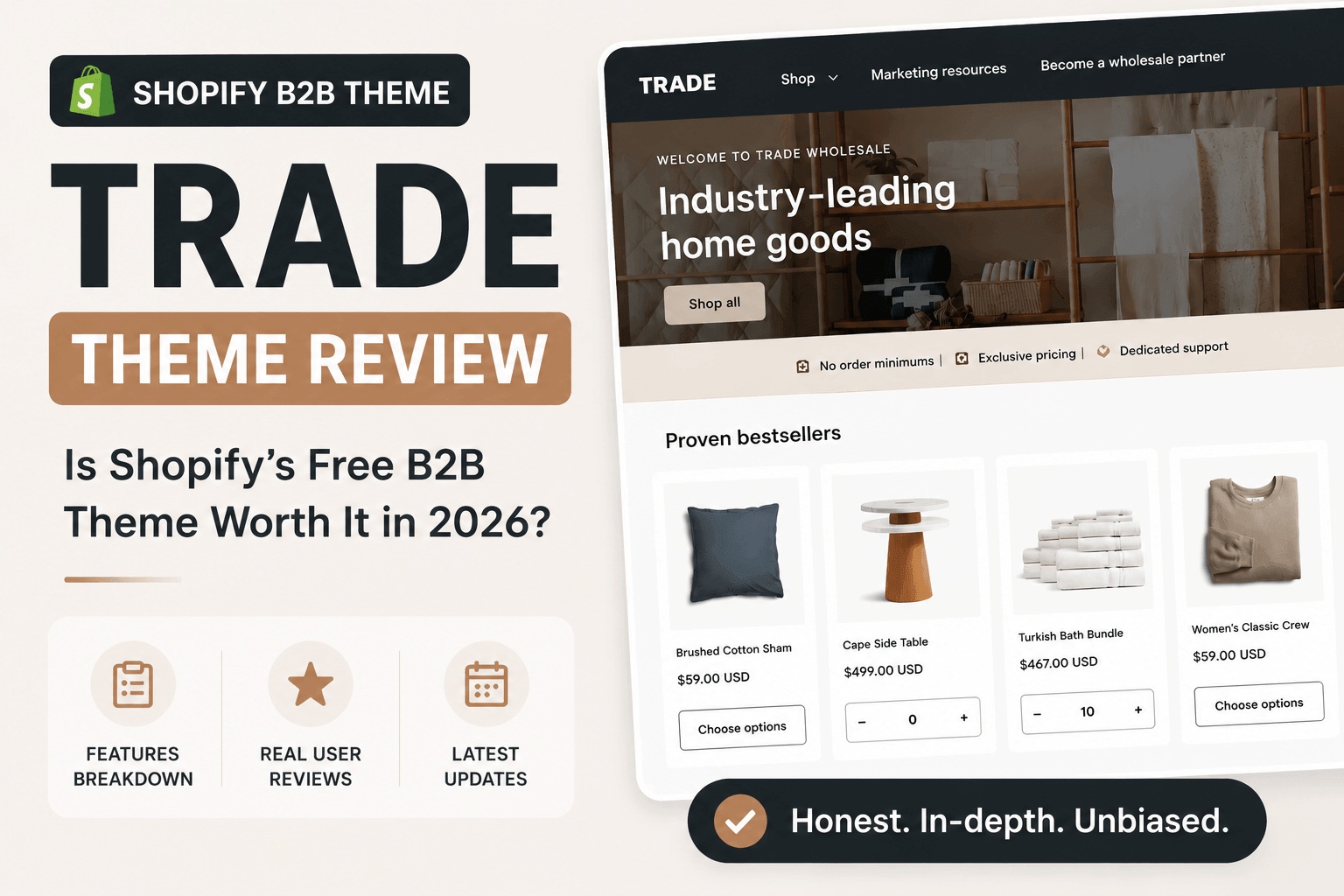
Trade Shopify Theme Review – It’s free, built by Shopify, and marketed specifically for business-to-business sellers.
On paper, that’s a compelling combination. Why spend hundreds of dollars on a premium theme when Shopify already offers one designed for wholesale?
It’s the only theme in the Shopify Theme Store designed around wholesale buying from the ground up, which makes it an obvious first stop for any merchant setting up a B2B storefront on a budget.
But “built for B2B” and “right for your B2B store” aren’t always the same thing. We tested Trade, read through the theme’s documentation, and went through all 41 reviews currently on its Shopify Theme Store listing to see how it actually holds up — including a major update to Shopify’s B2B system in April 2026 that changes one of the biggest complaints merchants have had about this theme since it launched.
Here’s what we found.
Trade Shopify Theme at a Glance
Developer | Shopify |
Price | Free |
Best for | B2B, wholesale, and distributor stores |
Design presets | 1 |
Theme Store rating | 32% positive out of 41 reviews (as of July 2026) |
B2B backend requirements | Works on any paid Shopify plan (Basic, Grow, Advanced, or Plus) as of April 2026 |
Short version: Trade has become a much stronger option since Shopify’s April 2026 B2B update. The bigger question today isn’t whether it supports wholesale – it does. It’s whether its storefront experience is flexible enough for the way your business sells.
Quick Verdict: Pros and Cons
Pros
- Completely free, and built directly by Shopify, no third-party compatibility guesswork
- Clean, professional layout with a mega menu, cross-selling, and recommended products built in
- Core B2B mechanics (volume pricing, quantity rules, custom catalogs) now work on any paid Shopify plan, not just Plus, following an April 2026 update
- Solid product discovery basics: enhanced search with autocomplete, filtering and sorting, sticky header
Cons
- Only one design preset – there’s no alternate look if Trade’s default layout isn’t right for your brand
- Current Theme Store rating sits at 32% positive, with a fairly long list of recurring, documented bugs
- No native way to hide prices from visitors until they log in – you’d need custom code or a third-party app
- No dedicated bulk-order interface built into the theme editor itself; it leans on Shopify’s default checkout behavior
- Recent updates have introduced regressions merchants didn’t ask for, according to several reviews
- The support service from Shopify is not responsive all the time, based on some real customer experiences.
What Is the Trade Shopify Theme?
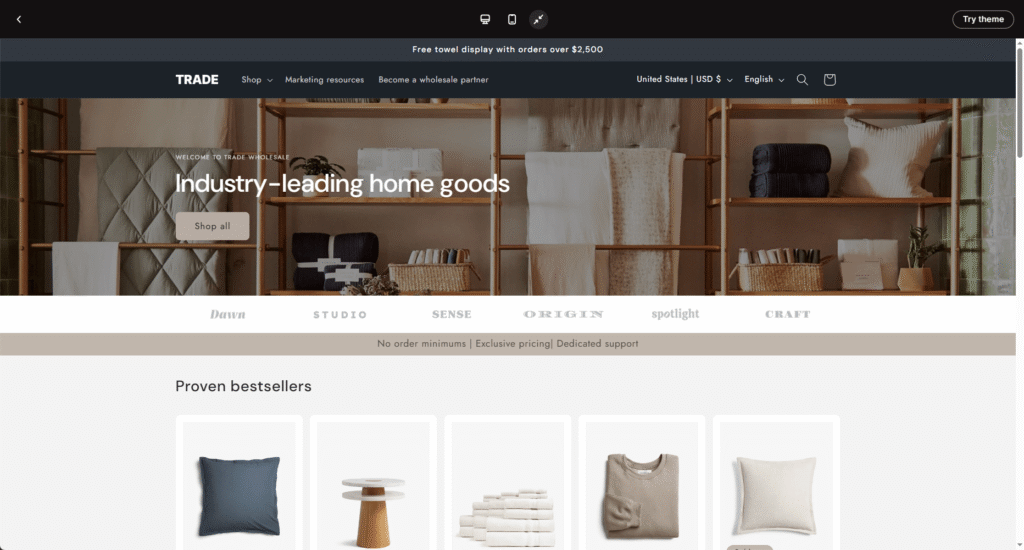
Trade is a free theme built and maintained by Shopify, first released in 2024 as the platform’s answer to a gap in its own Theme Store: nearly every free theme was designed DTC-first, with lifestyle imagery and storytelling sections that don’t do much for a buyer who already knows what they want and just needs to order it quickly.
Trade’s pitch is straightforward – give B2B and wholesale merchants a professional-looking storefront with the basic scaffolding for bulk buying, without requiring a design budget. It’s aimed at wholesalers, distributors, manufacturers, and any merchant whose customers are other businesses rather than individual shoppers.
The one caveat worth flagging up front, because it shapes almost everything else in this review: Trade’s layout is free and available to everyone, but the mechanics that make a store genuinely B2B – volume pricing, quantity rules, custom pricing catalogs – used to depend on which Shopify plan you were on. That changed in April 2026, and we’ll get into exactly what shifted a little further down.
Trade Theme Core Features
As a free option, the power that the Trade theme brings is pretty straightforward when compared to other premium B2B themes on the Shopify Theme Store.
Cart & Checkout
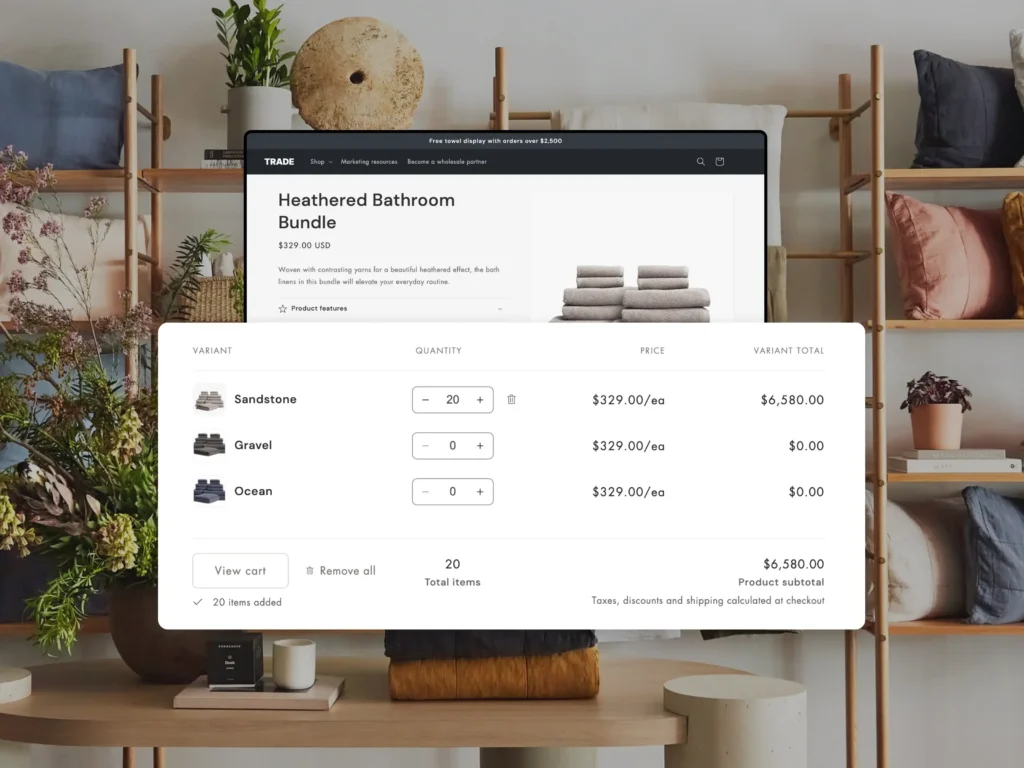
Trade ships with the standard set of free-theme conveniences: quick buy buttons, a slide-out cart, in-store pickup support, and cart notes. It also includes a native Quick Order List section, intended to let bulk buyers add multiple products and quantities at once from a single view.
Custom pricing catalogs and bulk checkout – historically the theme’s headline B2B features – used to require a Shopify Plus subscription. As of the update from Shopify at the beginning of 2026, this is no longer the case (more on that below). One thing worth knowing regardless of plan: Shopify’s native Quick Order List is largely an admin/checkout-level feature, and doesn’t have much of a dedicated, customizable presence inside the Theme Editor – a detail a few Trade reviewers have run into when trying to display inventory or pricing information alongside it.
Marketing & Conversion
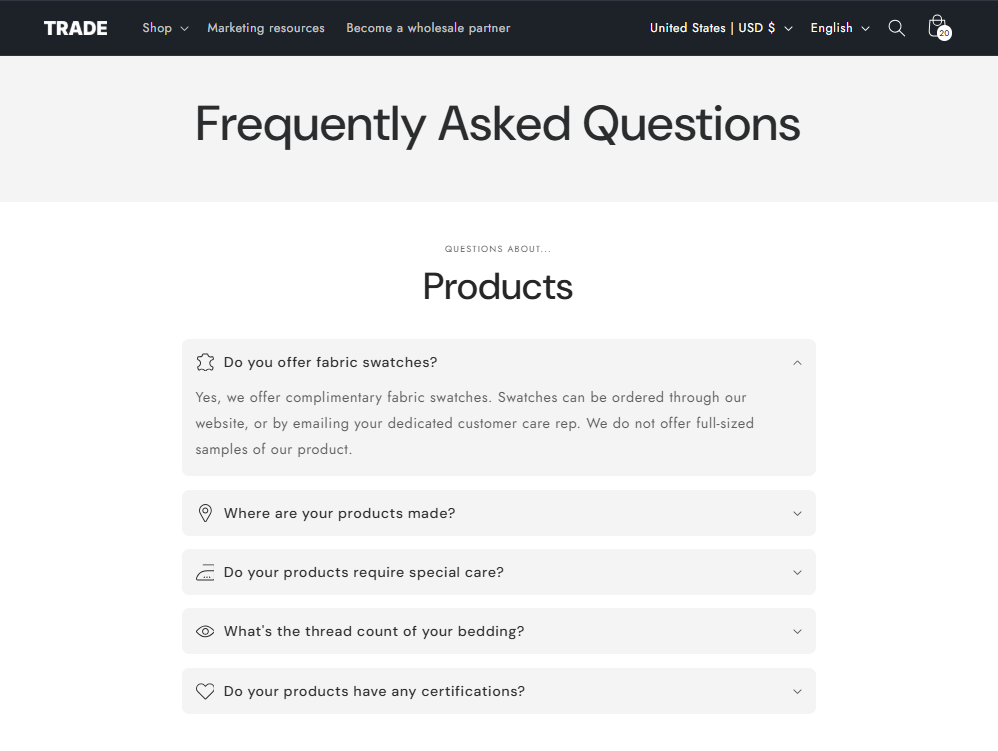
Nothing B2B-specific here, but the basics are covered: a blog, an FAQ page, quick view, cross-selling, recommended products, and a stock counter for urgency. These are useful additions for any store, B2B or not, and they work as expected.
Merchandising
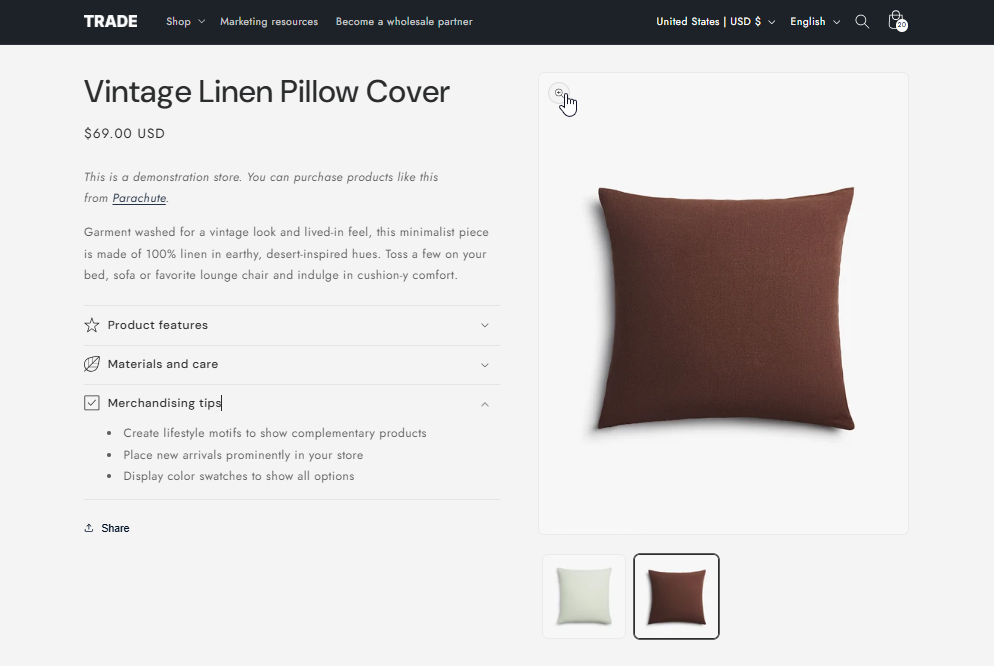
Product usage information, image galleries with zoom, slideshows, and color swatches round out the merchandising toolkit. It’s worth noting that none of this is tailored to B2B buying specifically. Instead, it’s the same feature set you’d find in most free DTC-oriented Shopify themes.
Product Discovery & Navigation
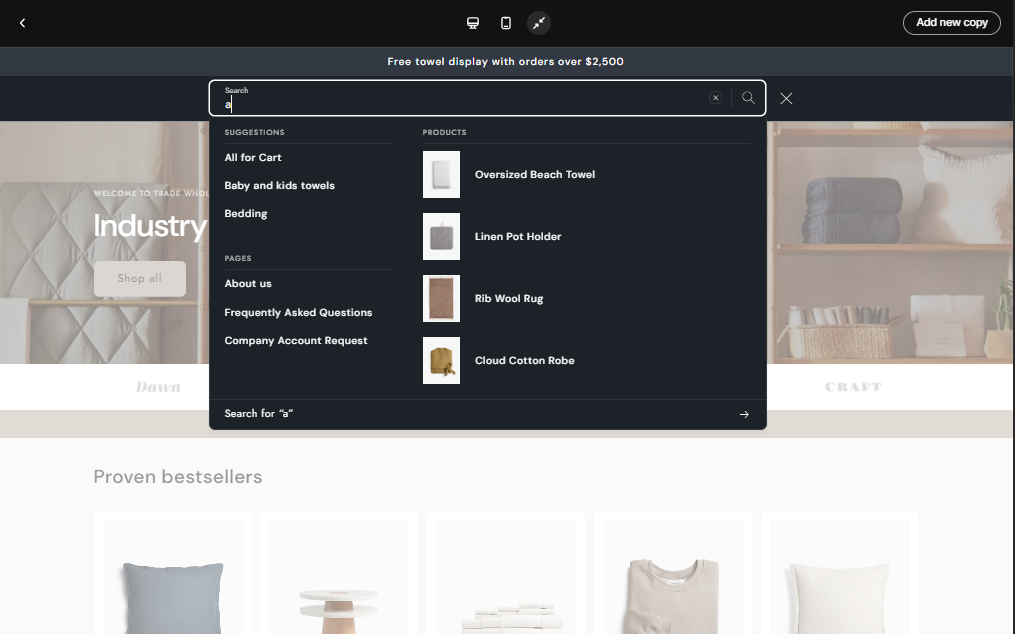
This is where Trade holds up best. It includes a mega menu, enhanced search with autocomplete, product filtering and sorting, a sticky header, and swatch filters. For a catalog with a moderate number of SKUs, this is a genuinely functional navigation setup.
Wholesale Sign-Up
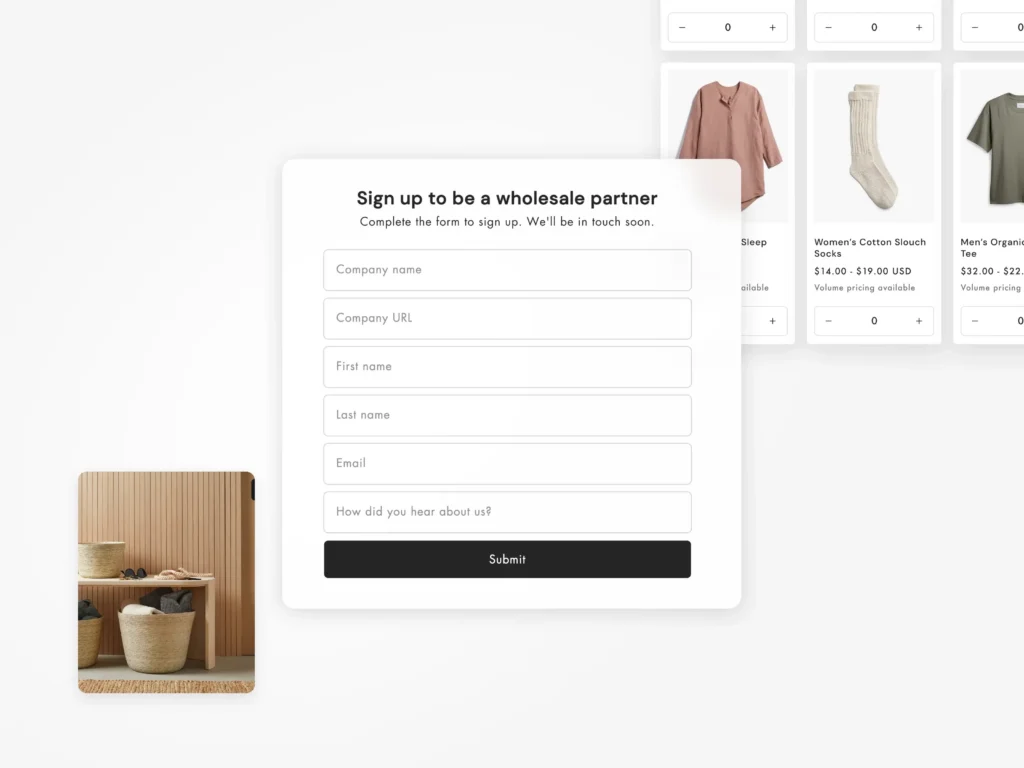
Trade includes a sign-up form (built on the Shopify Forms app) for prospective wholesale partners to request access to your store. This is a small but useful feature for merchants actively trying to grow their reseller network
Trade Theme and Shopify Plus: What Changed in April 2026
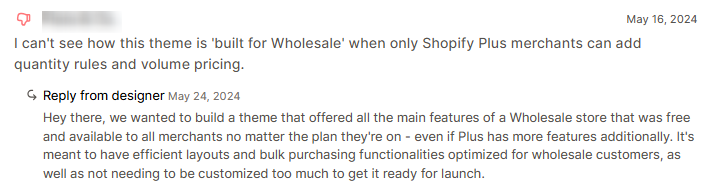
Every review of Trade published before this year makes the same core complaint: the theme is marketed as “built for wholesale,” but the features that actually make wholesale buying work – quantity rules, volume pricing, custom pricing catalogs – were all gated behind a Shopify Plus subscription. One Trade user summed it up bluntly in a 2024 Theme Store review: they couldn’t see how the theme was “built for wholesale” when only Shopify Plus merchants could set up quantity rules and volume pricing at all.
That complaint is now out of date. On April 2, 2026, Shopify announced that it was extending its core B2B features to every paid plan – Basic, Grow, and Advanced – at no extra cost. That includes:
- Company profiles for wholesale buyers
- Up to 3 custom catalogs with tailored pricing
- Volume discounts and quantity rules
- Vaulted credit cards
- Payment terms
Shopify Plus still holds a few things back: unlimited catalogs (versus 3 on other plans), the ability to assign catalogs directly to specific companies or locations, partial payments, and deposits. For most small-to-mid-sized B2B sellers, though, those aren’t dealbreakers.
The practical upshot: a merchant on Shopify Basic can now turn on Trade’s volume pricing and quantity rules without ever touching a Plus subscription. That removes the single biggest, most consistently cited weakness of this theme. If you’ve read an older review – including some still-ranking ones – that says you need Plus to make Trade’s B2B features work, that’s no longer accurate.
User Reviews & Ratings
Here’s where the picture gets more complicated. As of July 2026, Trade sits at 32% positive out of 41 reviews on the Shopify Theme Store (13 positive, 16 neutral, 12 negative) – see the live reviews here. That’s notably lower than the roughly 41–50% positive figure you’ll see cited in reviews published back in 2024, which suggests the theme’s reputation has gotten worse over time, not better, even as its underlying B2B capability improved.
Reading through all 41 reviews, a few complaints come up repeatedly:
- No native way to gate pricing behind a customer login. One merchant selling trade/leather goods pointed out that most wholesale businesses don’t want their pricing visible to just anyone – and that Trade has no built-in setting to hide prices until a customer logs in. The theme’s own designer confirmed in response that this requires custom code or a third-party app; it isn’t something the theme handles natively.
- Inventory and quick-order bugs. Multiple reviewers describe the cart and quick-order flow not checking real stock levels until checkout, which lets customers add more of a product than is actually available – only to have it silently adjusted or rejected later.
- Compare-at price display glitches. A recurring complaint across 2024 through 2026 reviews: the strikethrough “compare at” price sometimes displays incorrectly or shows up when it shouldn’t.
- Update stability. Several more recent reviews (June–July 2026) describe theme updates changing behavior without warning – dynamic buttons losing their styling, “Add to cart” auto-triggering after variant selection in a way that broke pre-order app compatibility for at least one merchant, and extra spacing appearing between sections with no way to remove it.
To be fair, plenty of reviewers are happy with it: the layout gets consistent praise as clean and professional, several merchants note it’s well suited to large catalogs, and beginners in particular seem to find it approachable. But the volume and specificity of the bug reports – especially the ones tied to core buying flows like cart and checkout – are hard to ignore for a theme whose entire premise is reliable bulk ordering.
Who Should Use the Trade Theme?
By this point, you’ve probably realized something. Trade isn’t a bad B2B theme. It’s a theme with a very specific audience. The closer your business matches that audience, the happier you’re likely to be with it.
Trade is a good fit if…
- You’re launching your first wholesale store.
- Your budget is tight.
- Your catalog is relatively straightforward.
- And your priority is getting online quickly rather than building a heavily customized buying experience.
For many businesses, that’s enough. If you’re still validating demand for your wholesale channel, investing in a premium theme may not make sense yet. Trade gives you a professional storefront without adding another expense to the business. That’s a perfectly reasonable place to start.
You may outgrow Trade if…
Now imagine a different business. Your catalog has grown to 800 products. Your sales team keeps asking for easier ways to compare products. Wholesale buyers expect to order dozens of SKUs at once. Different customer groups have different pricing agreements. Marketing wants more flexibility without hiring a developer every month. Suddenly, the limitations we discussed earlier become much more noticeable. Not because Trade became worse, but because your business became more demanding. That’s an important distinction. Growing businesses don’t necessarily replace their theme because it’s broken. They replace it because they’ve outgrown what it was designed to do.
Takeaway: Trade is an excellent entry point into Shopify B2B. Whether it’s the right long-term choice depends far more on where your business is heading than where it is today.
Beyond the Backend: What Actually Differentiates B2B Themes Now
With Shopify’s B2B admin tools now available on every paid plan, the old “do you have Plus or not” question isn’t the differentiator it used to be. What’s left is theme-level execution — and that’s a fair way to evaluate any B2B theme going forward, Trade included:
- Design flexibility. How many presets or looks does the theme offer, and how far can you customize it without hiring a developer?
- Large-catalog navigation. Does the mega menu, search, and filtering setup actually make a 500+ SKU catalog easy to browse, or does it start to strain?
- Dedicated B2B storefront components. Does the theme have purpose-built blocks for hiding pricing until login, a real bulk/quick-order interface, and product comparison — or does it just inherit whatever Shopify’s checkout handles by default?
That third point isn’t hypothetical for Trade – it’s a documented gap, straight from a Trade user’s own review and the designer’s own reply confirming it. If gated pricing and a proper bulk-ordering interface matter to your store, that’s worth knowing before you build on Trade as your foundation.
One example of a theme built around exactly these gaps is Maximize by Omni Themes (a part of BSS Commerce) – a paid theme designed for large catalogs and B2B stores from the ground up. It ships with five design presets, a mega menu available in seven styles, faceted search, a product comparison overlay (up to five products at once), and volume pricing tables. As of version 1.9.0 (July 2026), it also added two storefront components purpose-built for the exact gap noted above: Login to View Price, which lets merchants gate pricing behind customer login natively in the theme editor, and Bulk Order, a dedicated bulk-ordering interface – both without needing custom code or a separate app. In the near future, the theme will add settings specifically for B2B inventory status, making it even more suitable for a B2B business in an expansion phase.
Trade vs. Maximize: Quick Comparison
| Feature | Trade (Free) | Maximize |
|---|---|---|
| Price | Free | Paid (one-time) $220 |
| B2B backend (catalogs, volume pricing, quantity rules) | Any paid Shopify plan (as of April 2026) | Any paid Shopify plan (as of April 2026) – same underlying Shopify capability |
| Gate pricing behind login | Not native – requires custom code or a third-party app | Built in via Login to View Price (v1.9.0) |
| Dedicated bulk order interface | Relies on Shopify’s default checkout handling | Built in via Bulk Order (v1.9.0) |
| B2B inventory status | Not supported | Will be added in the near future |
| Design presets | 1 | 5 (Maximize, Vast, Vigor, Variant, Swift) |
| Mega menu | Yes | Yes (7 styles) |
| Product comparison | No | Yes, up to 5 products |
| Theme Store rating | 32% positive (41 reviews, July 2026) | 100% positive (42 reviews) |
Final Verdict
Trade is a legitimate, professional-looking free theme, and the April 2026 update to Shopify’s B2B system genuinely fixed its biggest historical weakness – you no longer need a Shopify Plus subscription to unlock volume pricing and quantity rules. That’s a meaningful improvement, and it’s one most reviews of this theme still haven’t caught up to.
What Trade still doesn’t offer is design flexibility, large-catalog navigation depth, or dedicated storefront components for gated pricing and bulk ordering – and the current 32% positive Theme Store rating, built on a real pattern of cart, inventory, and update-stability bugs, is worth weighing against the fact that it’s free. For a brand-new, small-catalog B2B store, it’s still a reasonable place to start. For a growing wholesale business that wants more design control and purpose-built B2B storefront tooling, it’s worth looking at what else is available – Maximize being one option built specifically to close those gaps.